
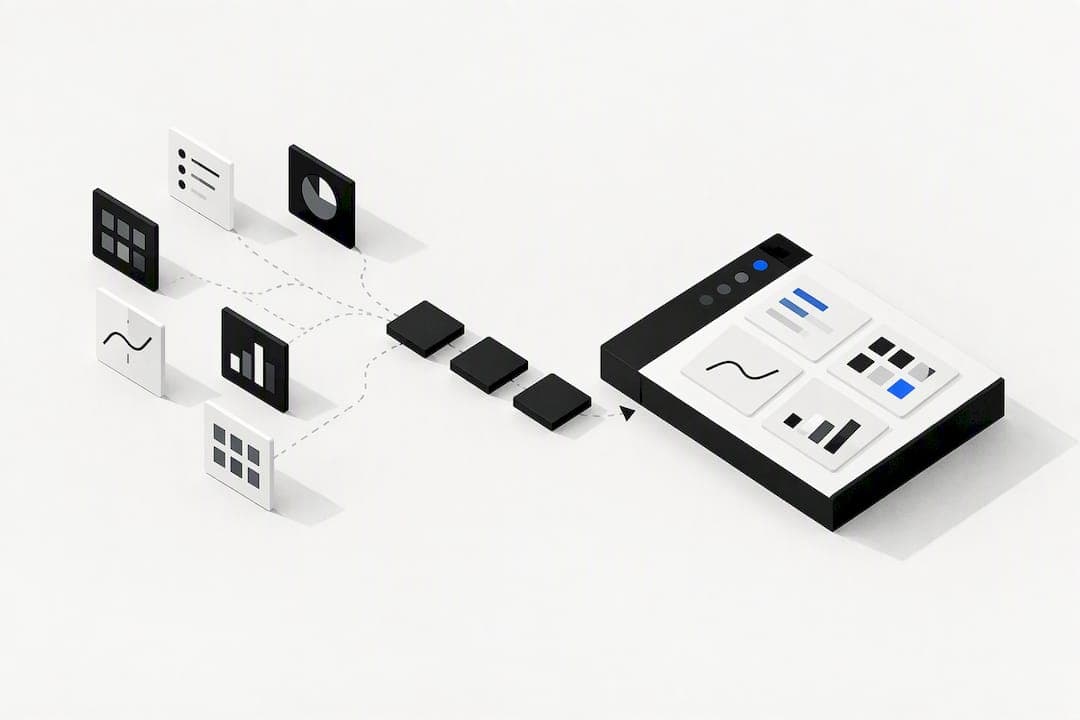
We offer a platform designed for teams managing separate CRM, billing, and project tools, using a pricing model that charges based on actions taken rather than per user. Asana suits teams that want fast adoption with minimal training. ClickUp fits teams that want deep customisation and a wide automation set. Wrike suits larger teams that need governance and reporting at scale. The right pick depends on how your team works, so the comparison and migration steps below narrow it down further.
TL;DR:
- A practitioner test found ClickUp had the widest AI feature set, while Asana’s AI and automation tools sit behind higher tiers.
- ClickUp’s depth demands upfront configuration, and teams migrating from simpler tools may spend weeks deciding which custom fields and automations to rebuild.
- Run a 4 to 8 week paid pilot with a real team and live data, then negotiate only after actual usage clarifies costs and fit.
- Small team migrations often take a few weeks, while enterprise moves can last several months, with automation rebuilding and permission mapping among the chief delays.
Table of Contents
- At-a-glance shortlist and comparison table
- Profiles: Oktechnology and the leading alternatives
- How to choose: decision criteria, vendor questions and a short evaluation flow
- Migration checklist and realistic timelines
- User experience and interface comparison
- Customer support and community resources for each alternative
- Scalability and customization limitations in practical scenarios
- Case studies or user testimonials highlighting real-world application
- Author perspective and testing note
- When Oktechnology fits, and how to start
- FAQ
- Sources
At-a-glance shortlist and comparison table
Most teams searching for alternatives to Monday.com fall into one of a handful of patterns: they want fewer tools, faster onboarding, deeper customisation, or stronger compliance documentation. The shortlist below reflects what actually gets shortlisted in practice, drawing on the common alternatives buyers evaluate against monday.com, including Smartsheet, Asana, ClickUp, Trello, Wrike, Workfront, Jira and Airtable, plus a wider set of specialist tools worth knowing about.
- Oktechnology: suited for teams seeking to consolidate CRM, billing, and project management in a single platform with usage-based billing.
- Asana: best for small to mid-sized teams that need people onboarded with minimal training.
- ClickUp: best for teams willing to spend time configuring in exchange for deep customisation and a wide automation set.
- Wrike: best for larger organisations that need centralised governance and reporting.
- Smartsheet: best for teams that think in spreadsheets and grids rather than boards.
- Airtable: best for teams that need a flexible database behind their project views.
- Jira: best for engineering teams running sprints and release cycles.
- Notion: best for teams that want documentation and lightweight task tracking in one workspace.
A practitioner comparison that tested these tools on real projects found that ClickUp offers the widest AI feature set, Asana gives the cleanest onboarding experience, and monday.com remains the strongest on visual workflow building and enterprise compliance documentation. That trade-off, breadth of automation against ease of setup, shows up again and again once you start comparing tools side by side.
This shortlist was built by cross-referencing the alternatives buyers most often shortlist against monday.com on peer-review platforms, a practitioner test that ran these tools on real projects, and the recurring evaluation categories Gartner and peer reviewers use: evaluation and contracting, integration and deployment, service and support, and product capability. None of the picks above are paid placements; they reflect what shows up repeatedly across independent sources.
Profiles: Oktechnology and the leading alternatives
Oktechnology
Our platform is aimed at teams transitioning from multiple separate CRM, project management, and billing tools to a unified system with usage-based billing.
- CRM, project management, finance and billing run from the same workspace instead of three or four separate logins.
- Pay-per-action pricing means a quiet month costs less. Example unit fees include invoice creation at €0.03 per invoice and CRM leads from €0.02 to €0.87 per lead.
- Features include multi-company isolation and white-label subdomains for managing multiple client accounts from a single login.
- Marketing automation functions such as email, campaign sends, and lead generation are integrated alongside CRM records.
- An API playground is available for teams that want to test integrations before committing to a migration.
- Business consulting and technical assistance are offered with hourly fees; current pricing details are available on our website.
Pro Tip: Before migrating, list every billable action your team performs in a week, invoices sent, leads created, documents generated, so you can estimate your real monthly cost under a pay-per-action model rather than guessing.
Teams coming from a CRM-plus-spreadsheet setup often find the jump easier than expected; our guidance on combining CRM and project management workflows walks through the first steps for sales and delivery teams specifically.
ClickUp
ClickUp earns its reputation for depth: a practitioner test running these tools on real projects found it has the widest AI feature set of the group, covering everything from automated status updates to AI-assisted doc summaries.
- Custom fields, views and dashboards go deeper than most competitors, suiting teams with unusual workflows.
- Automations can chain across spaces, folders and lists rather than staying confined to a single board.
- Native docs and whiteboards reduce the need for separate documentation tools.
- Time tracking and workload views are built in rather than bolted on through an integration.
- A large template library shortens setup for common use cases.
Pros: the widest automation and AI surface among tested tools, strong customisation depth, and native time tracking. Cons: that same depth means a real configuration investment up front, and large boards can show degraded performance with advanced features often gated behind higher tiers, so teams should budget for both setup time and a pricing cliff as usage grows. Migration friction tends to show up in custom field mapping. Teams moving from a simpler tool often need a few weeks just to decide which fields and automations are worth rebuilding versus leaving behind.
Asana
Asana's strength is how quickly new users get comfortable. The same practitioner comparison found Asana offers the cleanest UX for adoption among the tools tested.
- Timeline and board views cover most planning styles without heavy configuration.
- Rules-based automation handles routine task routing without needing a dedicated admin.
- Portfolios give managers a cross-project view without extra setup.
- Goals tracking links day-to-day tasks to higher-level objectives.
- Forms intake simplifies requests from people outside the core team.
Pros: fast onboarding, a clean interface that needs little training, and solid cross-project reporting. Cons: automation and AI features sit behind higher tiers, and very large or highly technical teams sometimes find the customisation ceiling lower than ClickUp's. Migration tends to be straightforward since most task data maps cleanly to Asana's list and board structures.
Wrike
Wrike leans into governance. It suits organisations where multiple departments need visibility without losing control over who can edit what.
- Custom request forms route work intake automatically based on type.
- Advanced reporting dashboards give leadership visibility across many projects at once.
- Resource management tools help balance workload across larger teams.
- Approval workflows support formal sign-off steps common in regulated industries.
- Role-based permissions scale to large, multi-department deployments.
Pros: strong reporting, solid permission controls, and good fit for large or regulated organisations. Cons: setup for permissions and workflows takes longer than lighter tools, and smaller teams may find it heavier than they need. Migration friction usually centres on recreating approval chains and custom request forms correctly.
Trello
Trello keeps things simple: cards on a board, moved between columns. It fits teams that find heavier platforms overwhelming for what is really a straightforward task list.
- Power-Ups extend boards with calendar views, automation and integrations.
- Butler automation handles repetitive card actions without coding.
- Card templates speed up recurring workflows.
- Mobile apps are genuinely lightweight and fast.
Pros: minimal learning curve, low cost for small teams, and fast setup. Cons: large or complex projects quickly outgrow a single-board structure, and reporting is limited compared with Wrike or Smartsheet. Migration is usually quick since there is little structure to rebuild, though teams moving from a feature-rich tool often lose functionality they relied on.
Smartsheet
Smartsheet suits teams that think in rows and columns rather than cards. It carries genuine project management features (dependencies, Gantt views, automation) inside a grid interface that spreadsheet users already understand.
- Grid, Gantt, card and calendar views all draw from the same underlying data.
- Automated workflows can trigger alerts, approvals or updates based on cell changes.
- Dashboards pull data across multiple sheets for executive reporting.
- Form intake feeds directly into existing sheets.
Pros: familiar spreadsheet logic, strong reporting, and solid enterprise compliance options at higher tiers. Cons: the grid-first design can feel rigid for teams used to visual boards, and some automation features require higher-tier plans. Migration from spreadsheet-based tracking is usually fast; migration from a board-first tool takes longer to re-map.
Airtable
Airtable blends a database with project views, which suits teams whose work doesn't fit neatly into a single table of tasks.
- Linked records let one base reference data in another, useful for tracking clients, projects and invoices together.
- Multiple view types (grid, kanban, calendar, gallery) sit on top of the same data.
- Automation scripting supports custom logic beyond simple rule triggers.
- Extensions and integrations connect to a wide range of external tools.
Pros: genuine flexibility for unusual data models, strong view customisation, and solid integration options. Cons: that flexibility means more setup decisions up front, and non-technical teams can find the database concepts unfamiliar at first. Migration involves translating existing task lists into a relational structure, which takes longer than a simple list import.
Teamwork.com
Teamwork.com is built around delivering client work profitably. It tracks project time against budgets and bills clients directly from the same platform.
- Budget tracking shows project profitability in real time.
- Built-in invoicing connects time entries to client bills.
- Client access permissions let external stakeholders see progress without full account access.
- Workload views help balance capacity across a services team.
Pros: strong fit for agencies and consultancies tracking billable hours, built-in client billing, and solid budget visibility. Cons: features aimed at internal-only teams (without client billing needs) go largely unused, adding complexity for that use case. Migration friction usually involves rebuilding budget and billing rules correctly before cutover.
Jira
Jira is built for software teams running structured development cycles. Sprint boards, backlogs and release tracking are native rather than adapted from generic task boards.
- Scrum and kanban boards support agile development cycles directly.
- Release and version tracking ties work items to shipped software.
- Advanced search (JQL) lets technical users query issues precisely.
- Deep integration with developer tools like version control and CI/CD pipelines.
Pros: purpose-built for engineering workflows, strong integration with developer tooling, and detailed issue tracking. Cons: non-technical teams usually find the interface and terminology unfamiliar, and setup for anything outside software development takes real effort. Migration from a non-technical tool into Jira often requires retraining the whole team on new concepts like epics and sprints.
Notion
Notion combines documentation and lightweight task databases in one workspace, which suits teams that want fewer tools rather than more specialised ones.
- Pages can embed databases, so documentation and task tracking live side by side.
- Templates cover wikis, roadmaps and simple trackers.
- Relational databases link tasks, projects and notes.
- A clean, minimal interface keeps the learning curve low for basic use.
Pros: strong documentation features, flexible enough for simple project tracking, and a genuinely pleasant interface. Cons: as a project management tool specifically, it lacks the reporting and resource management depth of dedicated platforms like Wrike or Smartsheet. Migration is usually about restructuring existing docs and spreadsheets into linked databases.
Basecamp
Basecamp takes an intentionally opinionated, simple approach: message boards, to-do lists, schedules and file storage, with flat pricing rather than per-seat billing.
- Message boards keep project discussion out of email threads.
- To-do lists are straightforward, without heavy customisation options.
- Fixed pricing regardless of team size removes per-seat cost surprises.
- Hill Charts give a visual sense of project progress without detailed reporting.
Pros: simple flat pricing, low learning curve, and a clear focus on communication over complex tracking. Cons: teams needing detailed reporting, resource management or custom workflows will find it limited. Migration is fast given the limited structure, though teams used to detailed boards or Gantt views will need to adjust expectations.
Monday.com
Monday.com itself remains a common baseline for comparison: a board-first work OS with a wide set of verticalised products (CRM, dev tools, service desks) built on shared infrastructure. Teams already using it sometimes look elsewhere when vendor consolidation, pricing structure or specific compliance documentation needs change, which is exactly the gap tools like Oktechnology, Wrike and Smartsheet aim to fill depending on the use case.
How to choose: decision criteria, vendor questions and a short evaluation flow
Choosing between these tools comes down to five practical questions rather than a feature checklist.
- Fit for your actual workflows: does the tool match how your team already thinks, boards, grids, documents or issue trackers, rather than forcing a new mental model?
- Pricing predictability: will costs scale with actual usage, or will you hit a tier cliff once you add a few more automations or seats? Automation runs, AI features and advanced reporting are commonly gated behind higher tiers, so model expected usage rather than assuming the entry tier will hold.
- Integrations and APIs: does it connect cleanly to the tools you're keeping, and is there a documented API for anything custom?
- Security and compliance: does the vendor offer SOC 2, ISO 27001 or HIPAA documentation directly, or will you need supplementary paperwork? Vendors with explicit compliance documentation reduce procurement friction compared with those that don't.
- Migration cost and time: how much admin time will the switch itself consume, on top of the subscription cost?
Before signing anything, put these questions to the vendor directly:
- Can we export all our data, including attachments, in a standard format at any time?
- What security certifications do you hold, and can you provide documentation for our procurement team?
- How exactly is usage metered, and what happens when we exceed an estimate?
- What SLA applies to uptime and support response times?
- Where are the limits on customisation, and what requires a higher tier or professional services?
A sensible evaluation flow runs trial, then pilot, then contract. Start with a free trial or sandbox to confirm the interface fits. Move into a paid pilot with a real team and real data for 4 to 8 weeks before deciding anything permanent. Only negotiate contract terms once the pilot has produced real usage numbers, not estimates. Larger organisations, particularly those with complex permission structures or regulatory requirements, should ask for an enterprise statement of work or dedicated professional services support before cutover rather than attempting a self-serve migration.
Migration checklist and realistic timelines
Switching project management tools rarely fails because of the software itself. It fails because of skipped steps. A workable checklist runs in this order:
- Audit current workflows, boards, automations and integrations before touching the new tool.
- Map each existing workflow to its equivalent in the new platform, noting what won't translate directly.
- Export all data, including attachments and historical comments, in the most complete format available.
- Import into the new tool and validate record counts match the export.
- Rebuild automations one at a time, testing each before moving to the next.
- Run a pilot with one team or project before a full cutover.
- Cut over fully once the pilot has run cleanly for at least one full work cycle.
- Validate post-migration: check permissions, notifications and reporting all work as expected.
Pro Tip: Run the pilot on a real, active project rather than a dummy one. Teams that pilot on sample data miss the permission and notification issues that only surface under real use.
Timelines vary by size. A small team can usually complete a full migration within a few weeks. Mid-sized teams spanning multiple departments typically need several weeks to rebuild automations and retrain users properly. Enterprise migrations, particularly those involving multiple business units or regulatory sign-off, often run several months. Our guidance on migrating from Pipedrive within four weeks covers a comparable small-team timeline in detail, including where admin time gets lost.
The most common friction points are predictable: automation rules that don't translate directly and need rebuilding from scratch, large volumes of file attachments that slow down export and import, and permission structures that map imperfectly between platforms. Mitigating each means budgeting extra time for automation testing, running attachment exports overnight or in batches, and documenting your current permission model before you start rather than trying to reconstruct it afterwards. For teams considering a white-label or multi-company setup during migration, our notes on tenant isolation are worth reading before signing anything.
User experience and interface comparison
Interface style is often the real deciding factor, more than any feature list. Board-first tools like Trello and monday.com feel immediately familiar to anyone who has used a kanban system, which is part of why adoption tends to be fast. Grid-first tools like Smartsheet and Airtable suit people who already think in spreadsheets, and they tend to resist that structure when forced onto a pure board. Asana sits in the middle: boards and timelines are available, but the interface stays clean enough that new users rarely need formal training. ClickUp and Wrike trade some of that initial simplicity for configurability, which pays off for complex teams but can overwhelm a small one in the first week. Oktechnology's interface groups CRM, billing and project views around the record they affect, a client, a project, an invoice, rather than separating them into different modules a user has to learn one at a time. The practical takeaway: pilot the interface with the people who'll use it daily, not just the person choosing the tool.
Customer support and community resources for each alternative
Support quality varies more than most buyers expect before they sign. Larger platforms like Wrike and Smartsheet typically offer dedicated account management at enterprise tiers, alongside large public knowledge bases. Asana and Trello lean on self-serve help centres and active community forums, which work well for common questions but less well for edge cases. ClickUp's size has produced an extensive library of community templates and tutorials, useful during setup. Jira benefits from the broader Atlassian ecosystem, including forums dense with developer-specific troubleshooting. We offer hourly business consulting and technical support separately, allowing costs to align with actual usage rather than a flat subscription fee. Gartner's peer-review patterns suggest vendor responsiveness during migration is often the decisive factor in how buyers rate a switch, which makes support quality worth testing during a pilot, not just reading about beforehand.
Scalability and customization limitations in practical scenarios
Every tool on this list has a ceiling somewhere. Large boards can degrade performance on some platforms, and advanced features like formula columns or dependency tracking are often gated behind higher tiers, which means a tool that felt fast in a trial with 50 items can slow down at 5,000. Teams expecting rapid growth should stage a realistic import, not a small sample, before committing. Customisation has its own trade-off: ClickUp and Airtable allow deep configuration but that depth takes real setup time, while Trello and Basecamp stay simple by design and will hit a structural ceiling once a project outgrows a single board or list. Jira scales well for engineering work specifically but struggles outside that context. Our multi-company isolation and white-label subdomains support managing multiple client accounts simultaneously, which is particularly useful for agencies and consultancies. The practical rule holds across every tool here: test scale and customisation limits with real data before cutover, not vendor demo data.
Case studies or user testimonials highlighting real-world application
Real-world fit tends to follow team type more than company size. Agencies and consultancies that bill clients by the hour generally gravitate toward platforms like Teamwork.com, where budget tracking and invoicing sit next to the project itself, or toward Oktechnology, where CRM, billing and delivery share the same record so a client relationship and its invoices never drift apart. Engineering teams consistently settle on Jira once sprint planning becomes a daily habit rather than an occasional exercise. Teams switching away from a board-first tool specifically because of tool sprawl, running a separate CRM, a separate invoicing tool and a separate project board, are the clearest candidates for a consolidated platform, since the admin time lost to switching between applications is a measurable cost that a single platform is designed to remove. None of this replaces running your own pilot: the fit that matters is the one your team confirms with its own data over a few weeks, not a case study written about someone else's workflow.
Author perspective and testing note
This shortlist draws on peer-review patterns from Gartner's alternatives listings, a practitioner comparison that tested leading tools on real projects, and the recurring evaluation categories procurement teams use when assessing work management software: fit, pricing, integration, support and compliance. No single source is treated as definitive. Where sources disagreed on emphasis, for instance, how much weight to give AI breadth versus setup burden, we favoured the more conservative, better-supported claim rather than the more impressive-sounding one. The limitation worth stating plainly: tool rankings shift as vendors ship new features, and a comparison written in 2026 will age. Treat this as a starting shortlist for your own pilot, not a permanent verdict. Oktechnology publishes this article and offers a consolidated CRM, project management and billing platform; our take on it is held to the same evidentiary standard as every competitor profiled above, and the promo section below sets out exactly what it offers and where it fits.
— Paolo
When Oktechnology fits, and how to start
If your team is running a separate CRM, a separate invoicing tool and a separate project board, and nobody can say with confidence which client record is current, consolidation is usually worth the switch. We built Oktechnology around that exact problem: CRM, project management, billing, documents and marketing automation in one workspace, billed per action rather than per seat, so a quiet month costs less and a busy one scales without a surprise renewal.
A sensible way to test the fit is a 4 to 8 week pilot with one real team, tracking two numbers: admin hours saved per week and the number of separate tools that pilot team stops logging into. Our guidance on consolidating business software sets out what that saving tends to look like in practice. For readers whose migration involves documenting existing processes and exceptions before cutover, Kept's use-case guidance on capturing and structuring existing systems is a useful companion step, and teams planning a heavier automation rebuild may find Red Rock Webscapes' AI consulting and automation support worth a look alongside our own technical help.
Full pricing for every billable action sits on our pricing page, and the fastest next step is to book a call to scope a pilot around your own workflows.

FAQ
Who is Monday.com's biggest competitor?
There is no single agreed "biggest" competitor; peer-review platforms consistently list Asana, ClickUp, Smartsheet, Trello, Wrike, Workfront, Jira and Airtable as the alternatives buyers evaluate most often. Which one counts as the closest competitor depends on whether the buyer prioritises visual boards, spreadsheet-style tracking or engineering workflows.
Why is Monday.com's position in the market changing?
Buyer attention is shifting toward tools that solve tool sprawl directly rather than adding another specialised board to an already crowded stack. Consolidated platforms and tools with clearer pricing structures are increasingly part of the shortlist alongside board-first options.
Is Asana better than Monday.com?
Neither is simply "better": a practitioner test running both on real projects found Asana offers the cleanest UX for fast team adoption, while monday.com remains strongest on visual workflow building and compliance documentation. The right choice depends on whether your priority is quick onboarding or visual, compliance-heavy workflows.
Which CRM fits better alongside project management, a dedicated CRM or a combined platform?
A dedicated CRM like Salesforce or HubSpot offers deeper sales-specific features, but it means syncing data with a separate project tool. A combined platform such as Oktechnology keeps CRM records, project delivery and billing on the same data, which removes that sync step entirely for teams that want one system rather than two.
How long does migrating to a new project management tool usually take?
Timelines depend on team size and complexity, with small teams needing a few weeks and enterprise migrations with multiple business units taking several months. Rebuilding automations and mapping permissions are usually the slowest parts of the process.
Sources
- Top monday.com Alternatives & Competitors 2026 | Gartner Peer Insights
- ClickUp vs Asana vs Monday.com 2026: AI PM tools tested on real projects
- How much time and energy do we waste toggling between applications | HBR
- Tech