
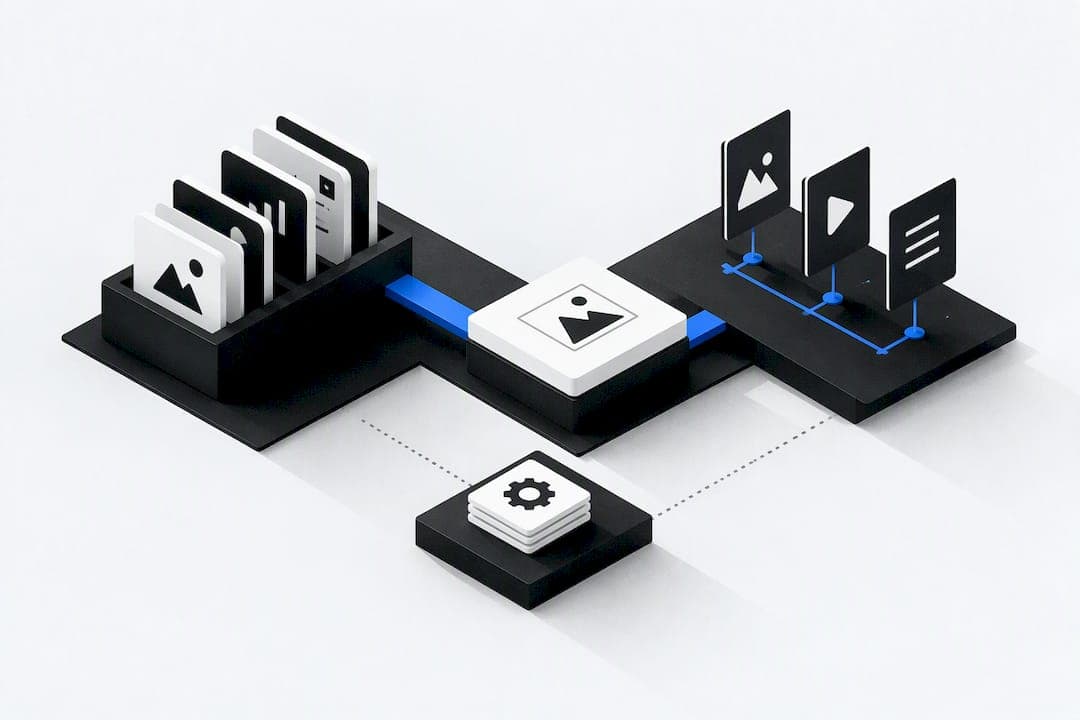
Marketing asset management is the practice of storing, tagging and controlling your brand files in one central system. Marketing teams should adopt a centralised DAM with metadata, rights management and integrations, or an equivalent integrated platform that delivers the same outcome. A short pilot with one team is the right first step. An all-in-one platform can be the better choice when asset storage needs to connect directly with CRM, billing or project tools.
TL;DR:
- Proper metadata support and accurate search capabilities are crucial for quick asset retrieval across diverse file types and content, preventing time-consuming manual searches.
- Implementing clear governance, such as ownership, approval workflows, expiry alerts, and consistent naming conventions, ensures the asset library remains trustworthy and scalable.
- A phased migration starting with a small, well-organized set of assets and involving a designated librarian reduces taxonomy errors and long-term cleanup efforts.
- Integrating DAM with CMS, creative tools, and project management systems minimizes manual uploads and keeps metadata synchronized, improving adoption and consistency.
- The full ROI depends on metrics like hours saved, rework reduction, faster approvals, and compliant asset reuse, with costs often rising beyond subscription fees.
Table of Contents
- What marketing asset management delivers for marketing teams
- How to choose the right marketing asset management solution
- Implementing marketing asset management: migration and rollout plan
- Governance, roles and workflows to keep your asset library healthy
- Costs, timeline and how to measure ROI
- Publisher perspective: an integrated approach with OK Technology
- Common failure modes and practical fixes
- How OK Technology maps to the checklist
- FAQ
- Sources
What marketing asset management delivers for marketing teams
A marketing asset management system, often called a digital asset management or DAM platform, gives every file a permanent home and a set of rules for who can use it. That sounds basic, but it solves a real problem: marketing teams lose hours each week hunting for the right logo version, the approved photo or the current licence terms.
The core features marketers rely on are:
- Central storage for images, video, documents and design files in one searchable location.
- Metadata and AI tagging that label assets by campaign, product, region or usage rights.
- Advanced search that finds the right file by keyword, colour or content, not just file name.
- Version control that keeps a clear history so teams always use the current approved asset.
- Rights and licence tracking that flags expiry dates before an outdated image goes live.
- Access controls that let agencies and partners see only what they need.
The AMA notes that marketing asset management tools centralise files such as images, graphics, PDFs and video, and lower costs by improving reuse and speeding distribution. In practice, that means fewer duplicate purchases, more consistent brand use across channels, and smoother handoffs when sales or an external agency needs a file fast.
It helps to separate three terms marketers often confuse. A DAM organises assets: storage, metadata, rights. A CMS organises pages and publishing. A marketing resource management or MAM layer typically sits closer to planning and production workflow. Most teams end up needing a DAM and a CMS working together, as Hygraph explains, rather than picking one over the other.
How to choose the right marketing asset management solution
Start by matching the scope of the tool to the scope of the problem. A team with a few hundred campaign images has different needs to one managing video, audio and print files across multiple agencies with varied licence terms.
Once scope is clear, weigh these evaluation criteria:
- Does the metadata model support your taxonomy, including custom fields for campaign, region and licence?
- Is search fast and accurate across file types, including image and video content?
- Does it integrate with your CMS, creative tools and project management system without manual uploads?
- Can roles and permissions separate internal teams from external partners and agencies?
- Does the vendor meet your security requirements and scale with growing storage volumes?
Run a practical checklist before signing anything: gather requirements from every team that touches assets, map real use cases rather than hypothetical ones, prototype your taxonomy on a sample set of files, request live demos rather than slide decks, test search with your own messy file names, and pilot with a single team before wider rollout.
Pro Tip: Bring your worst-named, least-organised folder of files to every vendor demo. If their search can find the right asset in that mess, it will work on your clean data too.
Hygraph points out that integrations which reduce manual uploads and keep metadata synchronised with your CMS or creative tools are often the difference between a rollout that sticks and one that becomes shelfware.
Implementing marketing asset management: migration and rollout plan
A rollout plan keeps migration from turning into months of unplanned work. The steps below follow a reasonable sequence for most marketing teams.
- Audit existing assets across every drive, shared folder and agency handoff, noting rough volume and file types.
- Design a taxonomy with required metadata fields for each asset type, and decide where AI tagging can speed this up.
- Choose a migration strategy: quick wins first, such as current campaign assets, followed by batch imports of the archive.
- Preserve key metadata and version history during migration wherever the source files allow it.
- Launch a pilot with one team, collect feedback, then train the wider group before expanding access.
- Set governance rules and measures of success before the pilot ends, so the phased expansion has a clear benchmark.
The AMA's guidance on content governance backs this sequencing: starting with a narrow pilot, such as a brand asset or single campaign library, produces measurable wins and helps refine taxonomy before a full migration. Skipping the pilot and migrating everything at once tends to carry the taxonomy mistakes of the old system straight into the new one.
Governance, roles and workflows to keep your asset library healthy
A DAM only becomes the single source of truth when governance backs it up. Without rules, it quietly turns into another folder nobody fully trusts.
The governance building blocks worth setting from day one:
- Clear ownership for each asset category, so someone is accountable for accuracy.
- Approval gates before any asset goes live externally.
- Licence and retention rules tied to expiry alerts, not manual tracking.
- Naming conventions that stay consistent across every uploader.
Roles matter as much as rules. Asset owners manage specific categories, approvers sign off before publication, librarians maintain taxonomy and metadata quality, admins control system access, and external publishers (agencies or partners) get scoped permissions rather than full access.
Pro Tip: Assign a librarian role even in a small team. One person checking metadata on upload prevents years of cleanup later.
The AMA's work on content governance found that codifying roles, responsibilities and approval gates helps creative operations scale, and that explicit approval SLAs and librarian roles reduce review cycles. Add rights-expiry alerts and a published brand portal for approved assets, and the system runs itself day to day.

Costs, timeline and how to measure ROI
Budget for more than the licence fee. Expect costs across storage, integrations, migration effort, training time and ongoing governance, not just the software subscription itself.
Timelines vary by scale, but a focused pilot typically runs several weeks, with a phased full rollout taking multiple months depending on asset volume and the number of teams involved.
Industry data shows DAM adoption is accelerating as teams manage more rich media and shift budget toward content and video, according to the 2025 DAM trends report, which signals that the cost of delay grows as asset volumes grow alongside it.
Track ROI through concrete metrics: hours saved finding assets, reduction in rework from using outdated files, asset reuse rate, approval-cycle time, and compliance incidents avoided through better rights tracking.
Publisher perspective: an integrated approach with OK Technology
Tool sprawl is often the real cost behind a disorganised asset library. When CRM, project management and asset storage sit in separate systems, teams duplicate work moving files between them and approvals stall on handoffs.
OK Technology combines these functions in one platform, which removes some of that friction by design. Its pay-per-action pricing can suit marketing teams with uneven workloads, since costs scale with actual use.
A sensible pilot starts with one campaign team, tracking time saved on asset retrieval and the number of handoffs removed from the approval process.
Common failure modes and practical fixes
The biggest trap is treating a DAM as glorified storage rather than a governed system. Teams skip taxonomy planning, upload files with no metadata, and wonder months later why search still fails.

Governance gets skipped for the same reason: it feels like overhead during a rush to migrate. Integrations get treated as a later problem, so the DAM sits disconnected from the CMS and creative tools that actually produce the files.
The fixes are straightforward. Start small with one team and a narrow set of assets. Assign a librarian from day one. Make metadata mandatory on upload, not optional. Add integrations incrementally rather than all at once. Expand scope to wider martech integration only once the core taxonomy and governance hold up under daily use.
— Paolo
How OK Technology maps to the checklist
Everything covered above, metadata, approvals, integrations and governance, maps directly onto how OK Technology is built. Storage, CRM, project management and billing sit in one system, so an approved asset can move from creation to campaign to invoice without switching tools or losing version history along the way.
What this saves a marketing team:
- Fewer separate subscriptions to manage and reconcile each month.
- Faster approvals, since assets and project workflow live in the same place.
- Costs tied to actual use through pay-per-action pricing, covering actions such as document storage at €0.25 per document or campaign sends at €1 per 1,000 sends.
Before contacting sales, list the tools you currently pay for, the number of campaign assets you manage monthly, and the teams that would join a pilot. Review the pricing and feature details or the OK Technology overview to see which actions apply to your workflow, then book a call to scope a pilot.
FAQ
What is the difference between a CMS and a DAM?
A DAM organises and controls files such as images, video and documents, with metadata, rights tracking and version control. A CMS organises and publishes pages and content on a website. Most organisations need both working together, as Hygraph explains, since a DAM feeds approved assets into the pages a CMS manages.
How much is an asset manager paid?
Salary figures vary too widely by role, region and seniority to state a single reliable figure here. A role titled "asset manager" in marketing can differ substantially from one in finance or facilities, so check sector-specific salary data for an accurate figure.
What are the five pillars of asset management?
Definitions vary across industries, but ISO 55000 frames asset management around value, alignment of objectives, leadership and assurance. For marketing teams, this translates into centralised storage, clear governance, structured approvals and integrations with the tools that produce and distribute assets.
What are examples of marketing assets?
Marketing assets include logos, product photography, campaign graphics, video, brand guidelines, templates, PDFs and web content. Each asset type typically needs its own metadata fields and rights terms stored alongside the file in a shared library.