
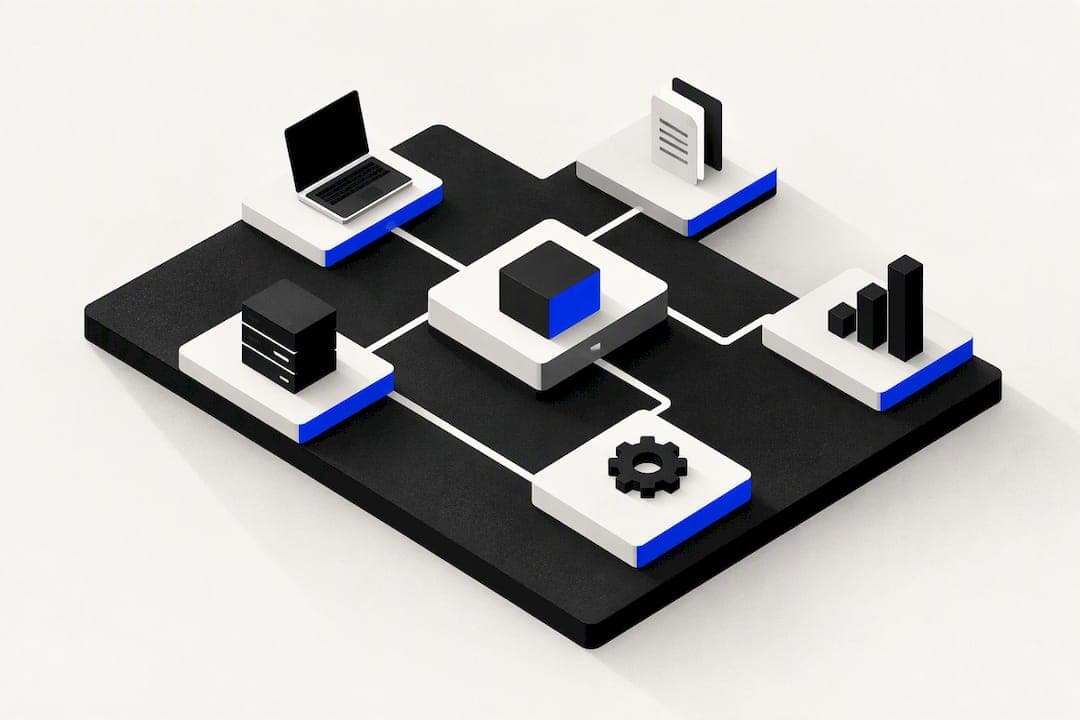
For most small and medium businesses that struggle with tool sprawl, a single integrated business platform is the fastest way to cut admin and speed cash flow. Bringing CRM, billing, and project tracking into one system reduces duplicate data entry and the errors that come with it. The rest of this guide walks through the modules to check, the real cost of implementation, and a checklist to help you choose, including a direct look at OK Technology as a pay-per-action option.
TL;DR:
- All-in-one platforms are most beneficial for SMEs with fewer than fifty employees, reducing tool sprawl and manual data entry, and improving reporting accuracy.
- Critical features to verify include customizable CRM fields, automation of pipelines and invoicing, project linking, and API access to ensure they meet daily operational needs.
- Implementation costs often exceed the software fee, primarily due to data migration, workflow configuration, and staff training, with long-term ROI based on hours saved.
- Pay-per-action pricing like OK Technology's scales with usage, offering transparency and flexibility, especially during the initial adoption phase.
- Successful migration should start with solving the most manual or error-prone process, involve key users in configuration, and plan for phased rollout to ensure adoption and efficiency gains.
Table of Contents
- What all in one business software actually covers
- Core modules and features to check before you buy
- Benefits and expected ROI from consolidation
- Implementation and adoption realities for SMEs
- OK Technology: how one platform meets these demands
- How to choose: a decision framework for your shortlist
- Total cost of ownership beyond the sticker price
- A practical view on staging the switch
- Getting started with OK Technology
- Sources
- FAQ
What all in one business software actually covers
All in one business software is a single platform that replaces a stack of separate tools with one connected system. For a small or medium business, this usually means CRM, invoicing and billing, project management, marketing automation, and document storage living under one login, with data flowing between them automatically.
The value is not the number of features. It is the fact that a lead, a customer, an invoice, and a project are all the same record viewed from different angles. When a sales rep updates a contact's phone number, the finance team sees it instantly on the next invoice. There is no export, no spreadsheet, no second system to update.
Most platforms in this category group their tools into a similar set of core modules, as detailed in EcoCard's features for small businesses:
- CRM: contact records, pipeline stages, and communication history in one place.
- Finance and billing: invoicing, recurring billing, and payment tracking tied to the same customer record.
- Project management: task boards, timelines, and resource allocation linked to client accounts.
- Marketing automation: campaign sends, lead capture, and follow-up sequences that update the CRM automatically.
- Document storage: contracts, quotes, and files attached directly to the client or project they belong to.
The integration advantage shows up most clearly in reporting. Instead of pulling numbers from four separate systems and reconciling them by hand, a manager can see sales, project status, and cash position on one dashboard. That single source of truth also cuts down on the classic tool sprawl problem: three people entering the same client's details into three different apps, each slightly out of date.
An all in one platform tends to beat a best of breed stack for an SME when the business has fewer than fifty employees, a lean or non-existent IT team, and multiple departments that need to see the same customer data. A best of breed approach, where a business picks the single best tool for each function and stitches them together, still wins when a business has a very specific, non-standard workflow that a general platform cannot support, or when it already has deep investment and staff training in a particular specialist tool. For most SMEs facing genuine tool sprawl, though, the administrative savings of one system tend to outweigh the flexibility lost by not having the best possible tool in every category.
Core modules and features to check before you buy
A demo can make almost any platform look capable. What matters is whether the specific features you rely on daily actually work the way your business needs them to, not just whether the feature exists on a slide.
Run through this list during any trial or demo:
- CRM fields and custom properties: can you add the specific data fields your business tracks, not just the generic ones the vendor ships with?
- Pipeline automation: does the system move a lead automatically between stages based on actions taken, or does someone have to update it manually?
- Invoicing and recurring billing: can you set up a subscription or retainer client once and have invoices generate on schedule without re-entering data?
- Campaign automation: can you build a follow-up email sequence that triggers from a CRM event, such as a form submission or a deal closing?
- Project boards and task assignment: can a project be linked directly to the client record it belongs to, so status updates are visible to sales and finance too?
- Time tracking: if you bill by the hour, does the platform log time against a specific project and roll it into an invoice automatically?
- Document versioning: when a contract is updated, does the platform keep the previous version, or does it simply overwrite the file?
- APIs and integrations: if you still need one specialist tool outside the platform, can it exchange data with the all in one system through a documented API?
Security and access controls matter just as much as features. Check whether the platform supports role-based permissions, so a junior team member cannot see payroll data or edit invoices they did not create. If you run more than one company, a division, or a franchise structure under one roof, ask specifically about multi-company isolation: whether client data, billing, and reporting for each entity stay separate even though they share the same platform. White-label options, such as a custom subdomain for client-facing work, are worth checking too if you present the platform to your own customers.
Pro Tip: During a demo, ask the vendor to build a real workflow from your business, such as "a lead fills out a form, gets a follow-up email, then becomes an invoice" live in front of you. If they cannot do it in the room, it will not be simple later.
The features that tend to save the most time for SMEs are the ones that remove a manual handoff between departments: automated invoicing tied to project completion, campaign triggers tied to CRM events, and reporting that pulls from live data rather than a monthly export.
Benefits and expected ROI from consolidation
The financial case for consolidation rests on a few repeatable gains. Manual reconciliation between a CRM and an accounting tool disappears when both live in the same system. Invoicing gets faster because billing data is generated from project or CRM activity rather than typed in separately. Leads stop falling through the cracks between a marketing tool and a sales pipeline that do not talk to each other.
SMBs are shifting away from juggling many separate point solutions toward unified platforms that act as a single operational command centre, according to IDC's analysis of the small and medium business digital landscape. That shift changes what businesses should look for in a vendor: less about ticking feature boxes and more about long-term implementation support and platform stability.
To estimate your own return, a simple method works well. List the hours per week your team currently spends on tasks that a connected system would automate or remove entirely: re-entering contact details, chasing invoice status across two systems, or manually compiling a sales report. Multiply that weekly hour figure by an average hourly cost for the staff involved, then multiply by 52 to get an annual figure. That number becomes your budget ceiling for what consolidation is worth to your business, and it is the figure to compare against any platform's implementation and running costs.
Implementation and adoption realities for SMEs
Buying the software is the easy part. Migrating years of client data, retraining staff, and building the workflows you actually need takes real time, and underestimating that timeline is where most consolidation projects go wrong.
Most SME implementations move through five phases: preparing and auditing existing data, migrating records into the new system, configuring workflows and permissions, training staff, and finally going live. SMEs face specific constraints during this kind of system implementation, including high costs, long timeframes, and limited scope for customisation compared with larger enterprises, and that reality should shape how you plan the project rather than surprise you halfway through it.
The main cost drivers are rarely the software subscription itself:
- Data migration from legacy spreadsheets or old systems is often the single largest time cost, especially when fields are inconsistent or duplicated.
- Custom workflow building, such as multi-step approval chains or industry-specific automations, adds setup hours beyond the platform's defaults.
- Consulting or technical support hours, whether from the vendor or an outside implementation partner, scale with how complex your existing processes are.
A pay-per-action pricing model changes how you budget for this. Instead of committing to a fixed monthly fee regardless of use, costs scale with actual activity, which means a slow first month of low usage during setup costs less than it would under a flat subscription, though it also means you need to forecast transaction volumes reasonably well once you are live to avoid budget surprises.
Academic research on ERP implementation in SMEs points to three critical success factors: thorough pre-implementation analysis, empowering the project team to make decisions, and delivering visible quick wins early in the rollout. A related framework for adaptive ERP rollout in smaller businesses backs this up, arguing that a modular, phased approach that focuses on organisational readiness and measurable milestones improves the odds of a successful implementation more than trying to configure everything at once.
Pro Tip: Before migrating any data, run a mapping audit of your existing CRM or spreadsheet fields and delete the ones nobody actually uses. Carrying obsolete fields into a new system multiplies migration time for no benefit.

OK Technology: how one platform meets these demands
OK Technology consolidates sales, marketing, and finance tools into a single platform aimed at businesses that have outgrown a patchwork of separate apps. Its stated integration across CRM, project management, and automated billing is designed to remove exactly the kind of duplicate data entry and cross-system reconciliation described above.
Some businesses report saving several hours a week by consolidating the tools they previously ran separately.
That figure comes directly from the company's own account of its impact, and it lines up with the time-cost method described earlier in this guide: multiply hours saved by staff cost to see what that kind of consolidation is actually worth to a specific business.
What sets OK Technology apart structurally is its pay-per-action pricing. Rather than tiered plans with fixed monthly fees, clients pay only for the specific actions they take, whether that is generating a CRM lead, sending an invoice, or storing a document. For a business budgeting an implementation, this means costs during a slow ramp-up phase stay low, and the total spend scales directly with how much the platform is actually used rather than with a subscription tier chosen in advance. It also gives finance teams a level of cost transparency that flat subscription pricing does not, since every action has a fixed, published fee rather than being bundled into a plan.
Multi-company isolation and white-label subdomains, both part of the platform, address two of the checklist items covered earlier: separating data across multiple entities and presenting a branded client experience.
How to choose: a decision framework for your shortlist
Once you have seen a few demos, the decision usually comes down to six criteria. Work through them in this order, because getting the first two wrong makes everything after them harder to fix.
- Business needs first: list the three workflows costing you the most admin time today, and rule out any platform that cannot demonstrably fix them.
- User count and roles: confirm the platform's permission system matches how many people need access and at what level, from view-only to full admin.
- Data migration complexity: get a straight answer on how your existing CRM, spreadsheet, or accounting data will actually move into the new system.
- Workflow customisation: check whether the platform can be configured to match your specific process, or whether you will be forced to adapt your process to the software.
- Pricing model fit: match the vendor's pricing structure, whether tiered subscription or pay-per-action, against your actual usage patterns and cash flow.
- Vendor support and consulting: confirm what implementation help is included versus billed separately, and at what hourly rate.
During any demo, ask these questions directly: can you export all your data in a standard format at any time without penalty? What service level agreement covers uptime and support response times? Are there limits on API calls, and what happens if you exceed them? What training is included versus charged separately?
A few answers should stop the process outright. If a vendor cannot explain how you export your own data, walk away. If pricing involves fees that are not published anywhere and only appear on request, treat that as a warning sign rather than a detail to sort out later. If the platform has no meaningful permission controls beyond admin and everyone else, it is not ready for a team beyond a handful of people.
Directories such as Capterra's business process management listings are a reasonable way to cross-check vendor claims against independent user reviews before you commit to a shortlist.
Total cost of ownership beyond the sticker price
The advertised price, whether a monthly subscription or a per-action fee, is rarely the full cost of running an all in one platform. Data migration hours, custom workflow setup, and staff training time all sit outside the subscription line and are easy to underestimate.
Recurring costs to check for beyond the core software fee include storage as your document and record volume grows, add-on modules that get bundled separately from the base package, and consulting or support hours billed at an hourly rate once your free onboarding period ends. Domain hosting or white-label subdomains, if you want a branded client-facing presence, are another recurring line that some vendors bundle and others charge separately.
Pay-per-action pricing makes some of this more visible, since every send, invoice, or document has a published fee attached rather than being hidden inside a plan tier. It does mean the total cost is harder to predict months in advance, since it depends on actual usage, so budgeting for growth means estimating your transaction volume honestly rather than assuming a flat number will cover you indefinitely.
A practical view on staging the switch
Businesses that succeed with consolidation rarely flip every department over at once. Start with the workflow causing the most pain, usually invoicing or lead tracking, get that fully working, then expand. A visible early win keeps the rest of the team willing to change how they work.
Buy-in comes from involving the people who use the system daily, not just the person signing the contract. Let your project lead make real decisions about configuration rather than routing every choice back to a committee. Measure success against the specific hours-saved figure you calculated before you started, not against a vague sense that things feel smoother.
If you are planning a migration and want to think through the staging and data mapping before committing, that is exactly the kind of conversation worth having early rather than after data has already moved.
— Paolo
Getting started with OK Technology
If tool sprawl is the problem you are trying to solve, OK Technology's structure addresses it directly: one platform for CRM, billing, project management, and marketing, with no separate subscription tier to outgrow.
The pay-per-action model means you are not paying for seats or features you do not use. A CRM lead costs between 0.02 and 0.87 euro one-off depending on the lead, an invoice created costs 0.03 euro one-off, and document storage runs 0.2 euro per month per GB, all listed in full on the pricing page. For businesses that want a branded presence, a dedicated subdomain is 29 euro per month, or a custom domain with hosting is available from 1 euro per month.
Businesses that want hands-on help during migration or configuration can book business consulting at 100 euro per hour, or technical help at 50 euro per hour, both billed only for the time used rather than bundled into a flat retainer.
To see the full breakdown of modules and pricing, visit the OK Technology pricing page, or start from the OK Technology home page to book a demo and talk through your specific setup.
Sources
- The SMB 2026 digital landscape — how AI is redefining growth (IDC)
- Managing successful information systems implementations at small and medium enterprises — managerial IS implementation effectiveness theory
- Adaptive framework for ERP implementation in SMEs
FAQ
What is the best all-in-one business software?
There is no single best platform, since the right choice depends on your business size, industry, and which workflows cause the most admin time. Look for one that covers your core needs (CRM, billing, and project management at minimum) and matches your budget structure, whether that is a flat subscription or a pay-per-action model like OK Technology's.
What is the best all-in-one software for small businesses?
For small businesses, the best option is usually the one with the lowest setup complexity and a pricing model that scales with actual usage rather than locking you into a fixed monthly fee regardless of team size. Prioritise easy data migration and clear permission controls over having every possible feature.
What are the most commonly used software types in business?
Most businesses rely on a CRM for sales and customer tracking, accounting or invoicing software for finance, project management tools for task tracking, email and marketing platforms for outreach, and document storage for contracts and files. An all in one platform combines these into a single system instead of running each separately.
What apps do business leaders typically use?
Business leaders generally rely on a mix of a CRM, financial reporting or dashboard tools, project management software, and communication platforms to keep visibility across sales, operations, and finance. Many are shifting toward a single consolidated platform for this rather than checking multiple separate dashboards, a trend IDC has tracked among small and medium businesses.