
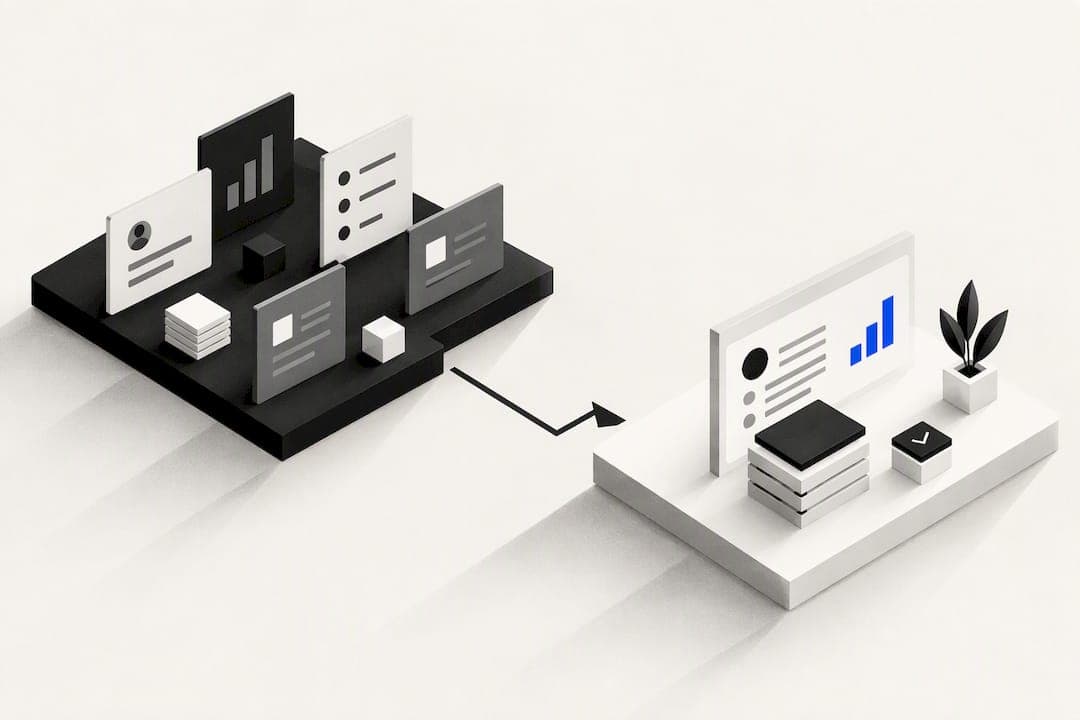
OK Technology is the strongest pick for teams that want to consolidate their tools and pay only for what they use. If that model does not fit, two other paths work well: specialist sales tools built for outreach and prospecting, or established full CRMs like Salesforce, HubSpot or Zoho. Trial two candidates against your main priority, whether that is pricing clarity or less admin work.
TL;DR:
- Consolidation platforms like OK Technology charge per action rather than per seat, making them ideal for high-transaction-volume teams seeking predictable costs.
- Most SMBs should evaluate the core reason for switching—cost, missing features, or admin overload—before choosing between full CRMs or specialist tools.
- When migrating, data cleaning, deduplication, and piloting with a small team can reduce implementation time to about four to six weeks.
- Red flags during evaluation include undisclosed usage fees, incomplete export options, no audit logs, or binding contracts with no mid-term exit.
- Trialing a focused outreach tool alongside a consolidation platform tests both admin reduction and sales effectiveness, guiding better long-term selection.
Table of Contents
- Curated shortlist: best picks by common SMB priorities
- Scannable profiles for the top entrants readers expect
- How to choose the right alternative for your team
- Migration checklist and realistic timelines for SMBs
- Publisher proof: what OK Technology claims and when that helps
- What actually matters when you switch from Pipedrive
- Try OK Technology without the seat-based guesswork
- Sources
- FAQ
Curated shortlist: best picks by common SMB priorities
Most teams search for Pipedrive alternatives because of one specific pain: cost, a missing feature, or too much manual admin. Comparee recommends judging each candidate mainly against that one reason, rather than getting pulled in by extra features you will not use.
- A consolidation platform, best for teams that want CRM, billing and project management under one roof, billed per action rather than per seat.
- HubSpot CRM, best for marketing-led teams that need fast onboarding and tight integration with campaigns.
- Zoho CRM, best for teams that will configure their own fields and workflows and want a lower starting price.
- Salesflare, best for small B2B teams that want data capture automated instead of typed in by hand.
- Nutshell, best for small teams that value responsive support during setup and early use.
If you are unsure where to start, trial one consolidation platform alongside one specialist tool. Pairing OK Technology with a focused outreach tool, for example, tests both the admin-reduction angle and the sales-motion angle at once. Zapier's roundup makes the same point: test integrations and automations directly during your trial period, not just the interface.
Scannable profiles for the top entrants readers expect
Each profile below covers what the tool is built for, what makes it stand out, how pricing works, how fast you can get going, and the one trade-off worth knowing before you commit.
- A consolidation platform, best for SMBs consolidating multiple tools into one system; standout is pay-per-action billing across CRM, billing, documents and campaigns; pricing is charged per task rather than per seat; onboarding centres on setting up your industry workflow; trade-off is that heavy-volume teams need to model their usage before committing.
- Salesforce Sales Cloud: best for organisations that need deep customisation and enterprise integrations; standout is its ecosystem of add-ons and partner apps; pricing is tiered per user per month; onboarding typically needs a dedicated administrator; trade-off is configuration complexity for smaller teams.
- HubSpot CRM: best for marketing-led SMBs; standout is ease of use tied to marketing and service hubs; pricing spans a free tier up through paid hubs; onboarding is fast for basic use; trade-off is that costs climb once you add premium hub features.
- Zoho CRM: best for teams wanting configurability at a lower starting cost; standout is its depth of custom fields and workflow rules; pricing is per user per month with tiers; onboarding takes longer if you build custom workflows; trade-off is a steeper learning curve for non-technical teams.
- Microsoft Dynamics 365 Sales: best for enterprises standardised on Microsoft tools; standout is native Office and Azure integration; pricing is per user per month; onboarding benefits teams already on Microsoft 365; trade-off is less value outside that ecosystem.
- Vtiger One: best for SMBs wanting one vendor for sales and support; standout is bundled modules across CRM, service and marketing; pricing is tiered per user; onboarding is moderate; trade-off is fewer deep specialisations than single-purpose tools.
- Nutshell: best for small teams prioritising support quality; standout is fast, responsive onboarding help; pricing is per user per month; time to onboard is short; trade-off is a lighter feature set for complex sales processes.
- Salesflare: best for small B2B teams that want less manual data entry; standout is automated data capture from e-mail and calendars; pricing is per user per month; onboarding is quick; trade-off is less depth for large, complex sales teams.
- Copper: best for teams embedded in Google Workspace; standout is native Gmail workflow integration; pricing is per user per month; onboarding is fast for Workspace users; trade-off is reduced value outside Google's ecosystem.
- Nimble CRM: best for relationship-driven sales teams; standout is contact enrichment with social and company data; pricing is per user per month; onboarding is straightforward; trade-off is lighter pipeline automation than dedicated sales platforms.
- Salesmate: best for SMBs wanting simple sequences and automation; standout is straightforward sales sequencing; pricing is per user per month; onboarding is quick; trade-off is a smaller integration library than larger vendors.
- Freshsales, Insightly CRM, Vtiger CRM, Freshworks CRM, SAP Sales Cloud, BIGContacts CRM, Close, Coevera and Gong round out the field: general-purpose CRMs (Freshsales, Insightly, Vtiger, Freshworks) compete on price and modular add-ons, SAP Sales Cloud targets larger enterprise buyers, BIGContacts and Coevera serve niche SMB use cases, Close focuses on inside-sales calling workflows, and Gong specialises in conversation analytics rather than pipeline management. Trello is not a CRM at all but is often trialled alongside one for lightweight task tracking.
How to choose the right alternative for your team
Before booking demos, decide which of these axes matters most to your team: fit for your specific sales motion, pricing predictability, how much admin the tool removes, automation depth, how well it connects to your existing stack, and whether it offers open API access.
- Ask every vendor exactly what counts as a billable action or seat, and get it in writing before you sign anything.
- Request a full data export in a demo, not just a description of one, to confirm you are not locked in.
- Check for audit logs and permission controls if more than one person will touch customer records.
- Ask what happens to automations and integrations if you downgrade or cancel.
Pro Tip: Run the same ten-minute task, such as logging a call and creating a follow-up, in every tool you trial. The one that takes the fewest clicks usually wins adoption.
Watch for red flags: usage fees that are not listed anywhere public, export tools that only offer partial data, no audit trail, or contracts that lock you in for a year with no mid-term exit.
Migration checklist and realistic timelines for SMBs
A documented migration of a 50-person sales team to a new CRM took four weeks and reached full adoption on day one, saving roughly two hours per rep per day. The team achieved this with a disciplined sequence rather than a rushed switch.
- Export your existing data and audit it for duplicates and missing fields.
- Deduplicate records and standardise key identifiers like company name and e-mail format.
- Map only the fields your team actually uses, not every field the old system had.
- Build a minimum viable pipeline and the handful of automations you rely on daily.
- Pilot with a small cohort before rolling out company-wide.
- Cut over hard, switching off the old system on go-live, then run two weeks of close support.
For most SMBs, discovery and data cleaning take one to four weeks, and pilot configuration takes another two to six, depending on how much custom automation you carry over. Role-based dashboards, a firm cutover date and short, targeted training sessions all help adoption stick.
Publisher proof: what OK Technology claims and when that helps
This platform brings CRM, project management and billing into one system and charges for individual actions rather than seats.
The platform integrates CRM, project management and automated billing into a single system, which it states helps businesses reduce time spent managing separate tools.
It is claimed that this consolidated approach saves businesses significant time weekly, based on reduced tool-switching and administrative overhead. This model suits teams juggling several disconnected tools and unpredictable admin load most. Teams with very high, steady transaction volumes may still find a flat seat-based plan easier to budget against, since pay-per-action costs scale with activity rather than staff count.
What actually matters when you switch from Pipedrive

Most advice on this topic obsesses over feature lists, comparing pipeline views and dashboard widgets as if that is where CRMs win or lose. It rarely is. The real cost of running a CRM sits in the admin nobody sees: logging calls, chasing invoices, reconciling contacts across five different tools. Comparative reviews consistently show that the difference between a CRM people use and one they abandon is onboarding speed and whether it fits the way the team already works, not the number of features on the pricing page.
The bigger mistake is assuming you need a full CRM at all. If your actual problem is weak outreach or messy prospecting data, a specialist tool will fix that faster than any CRM migration. If your problem is tool sprawl and unpredictable software spend, that points towards consolidation, not another point solution. Work out which problem you actually have before you book a single demo.
— Paolo
Try OK Technology without the seat-based guesswork
If tool sprawl and unclear monthly bills are what pushed you to look at alternatives in the first place, OK Technology addresses both directly. Instead of paying for seats you are not using, you pay per action: per lead, per invoice, per document, per e-mail sent, all listed on the OK Technology pricing page.
Teams that want to see the full platform before committing can start with the OK Technology overview, while anyone with specific workflow questions, industry-specific setup, or migration support can book time with the business consulting or technical help services listed on the pricing page. Self-serve exploration suits smaller teams; a quick call suits anyone consolidating more than two or three existing tools at once.
Sources
- HubSpot CRM vs Zoho CRM: Which Should You Choose? | Capterra
- CRM Migration Case Study | 50-Person Team in 4 Weeks | Svennis
- Top Pipedrive Alternatives & Competitors 2026 | Gartner
- Comparee
FAQ
What are the top 3 CRM systems?
Salesforce Sales Cloud, HubSpot CRM and Zoho CRM are among the most commonly considered platforms in independent alternatives roundups. Each suits a different priority: Salesforce for customisation, HubSpot for ease of use, and Zoho for configurability at a lower starting price.
What are the downsides of using Pipedrive?
Many searchers move away from Pipedrive because of a specific gap, such as missing advanced automation, limited built-in marketing tools, or a pricing structure that does not match their sales motion. Comparee.ai notes that identifying your one core reason for switching keeps the search focused rather than driven by feature envy.
What is the number one CRM in the world?
There is no single official ranking of the "number one" CRM, since different review platforms weigh usage, satisfaction and market share differently. Salesforce Sales Cloud is widely cited for enterprise scale, while HubSpot CRM and Zoho CRM appear frequently in SMB-focused comparisons.
Which CRM is better, Pipedrive or HubSpot?
The better choice depends on what you need: HubSpot CRM is generally easier to onboard quickly and pairs well with marketing campaigns, while Pipedrive is built specifically around visual pipeline management. Capterra's comparative analysis frames this as a speed-of-adoption versus configurability trade-off, which applies just as well when comparing HubSpot against Pipedrive.
Does Pipedrive have real competitors?
Yes, Pipedrive competes with general CRMs like Salesforce, HubSpot and Zoho, consolidated platforms like OK Technology, and specialist tools for outreach and prospecting. The right substitute depends on whether your main issue is cost, a missing feature, or too much manual admin.