
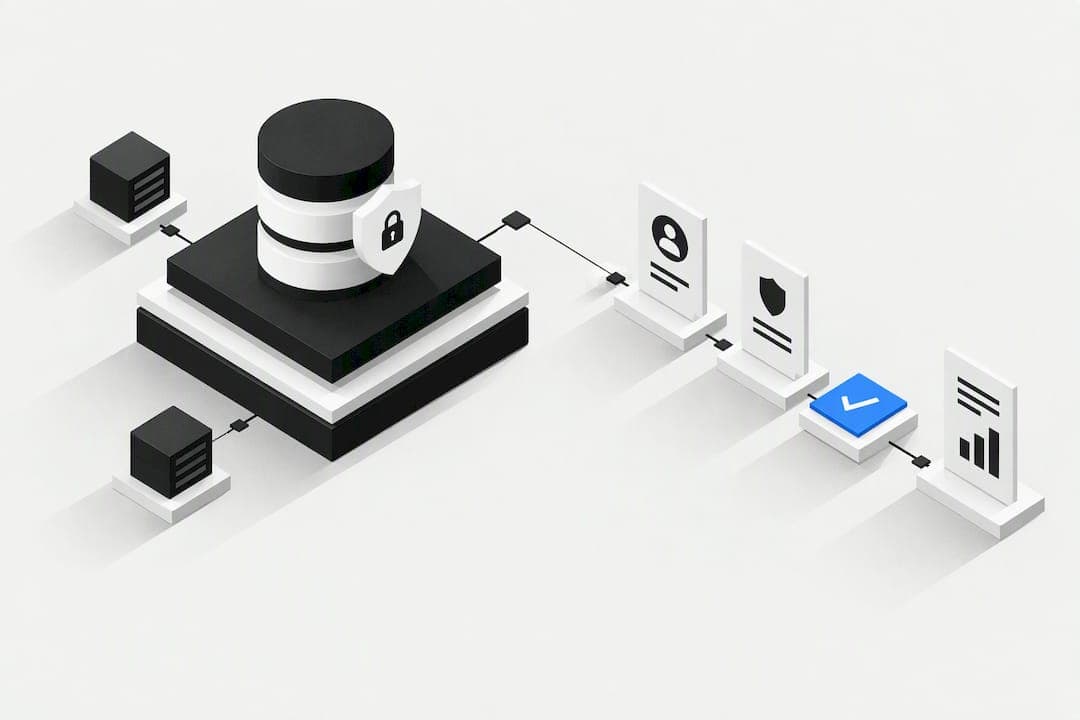
A CRM can absolutely be GDPR-compliant, but no software achieves that on its own. Compliance depends on the policies, contracts and configuration you build around it. Prioritise five things first: mapping a lawful basis to every processing activity, logging consent properly, building a working DSAR (data subject access request) workflow, signing a proper Data Processing Agreement with your vendor, and hardening security controls. As the controller, you remain accountable regardless of which platform you use, so every decision needs to be documented.
TL;DR:
- Proper GDPR compliance requires thorough lawful basis mapping, consent logging, and security measures, not relying solely on the CRM's features.
- Data retention should be automated and justified per data type, with clear records in the RoPA reflecting each processing activity and retention period.
- Handling DSARs efficiently depends on having a unified search, export, and logging process that ensures responses within one month, even for complex cases.
- A detailed Data Processing Agreement must specify sub-processor lists, breach procedures, security measures, and data deletion rules to minimize vendor-related risks.
- An integrated CRM platform helps maintain GDPR compliance by reducing data drift across systems, ensuring consistent consent, retention, and security practices.
Table of Contents
- What GDPR actually requires from your CRM
- How do you manage consent and lawful bases in a CRM?
- How do you handle data subject access requests through a CRM?
- What should a Data Processing Agreement with your CRM vendor cover?
- What security controls does a GDPR-ready CRM need?
- Where can your CRM data legally live?
- How long should you keep CRM data, and how do you build your RoPA?
- Your CRM compliance audit checklist
- Training and awareness for CRM users regarding GDPR obligations
- How do you audit and monitor ongoing CRM compliance?
- Managing third-party CRM integrations under GDPR
- What the compliance checklists don't tell you
- Simplify GDPR compliance with an integrated CRM
- Sources
- FAQ
What GDPR actually requires from your CRM
GDPR doesn't regulate CRM software directly. It regulates how you process personal data, and your CRM happens to be where most of that processing lives, so the two get treated as one problem in practice.
Seven principles sit underneath every GDPR obligation, and each one maps to something concrete inside your CRM:
- Lawfulness, fairness and transparency: every contact record needs a documented lawful basis, and your privacy notice must reflect what the CRM actually does with the data.
- Purpose limitation: data collected for order fulfilment shouldn't quietly get reused for marketing without a fresh lawful basis.
- Data minimisation: custom fields capturing information you don't need (date of birth for a B2B contact, for instance) create risk with no upside.
- Accuracy: contacts need a rectification path, not just an entry point.
- Storage limitation: retention rules need to be enforced automatically, not left to someone remembering to clear old records.
- Integrity and confidentiality: encryption, access controls and audit logs, covered in more depth further down.
- Accountability: you need to prove all of the above, not just do it.
That last principle is where most organisations fall short. GDPR's accountability principle means you need a Records of Processing Activities (RoPA) log, and it should be structured around your actual CRM objects, not a generic template pulled off the internet. A RoPA entry for "email marketing" should list the CRM fields involved, the retention period, who has access, and which lawful basis applies. If your CRM has a "campaigns" module, your RoPA should mirror that structure.
A Data Protection Impact Assessment (DPIA) becomes mandatory, not optional, when CRM processing is likely to create high risk for the people whose data you hold. Large-scale profiling, automated scoring of leads that affects how they're treated, or processing special category data (health information in a wellness CRM, for example) all trigger this requirement under Article 35. Run the DPIA before you configure the feature, not after a regulator asks why you didn't.
Whether you need a formally appointed Data Protection Officer (DPO) depends on scale and sensitivity. Public authorities need one regardless. Private companies need one if their core activity involves large-scale, regular monitoring of individuals, or large-scale processing of special categories of data. A ten-person consultancy running a standard sales CRM usually doesn't need a DPO. A healthtech company running patient records through the same kind of platform almost certainly does.
One point that trips up international teams: GDPR applies based on whose data you hold, not where your company sits. If your CRM contains even a single contact resident in the EU or EEA, GDPR obligations attach to that record, regardless of where your business is registered.
How do you manage consent and lawful bases in a CRM?
Not every CRM activity needs consent. Choosing the wrong lawful basis is one of the most common and most fixable mistakes teams make.
Here's a practical way to sort it:
- Transactional messages (order confirmations, invoices, service updates) usually rest on contractual necessity. You don't need a consent checkbox to send someone their receipt.
- Marketing emails to individuals almost always need consent, unless you're in a jurisdiction with a soft opt-in exception for existing customers buying similar products, in which case legitimate interests can apply, provided you offer a clear opt-out.
- Profiling and lead scoring that meaningfully affects how a person is treated usually needs consent or a carefully documented legitimate interests assessment, especially if the DPIA flags it as high risk.
- B2B contact data (a work email held for account management) commonly rests on legitimate interests, but document the balancing test rather than assuming it's automatic.
Whichever basis you pick, the audit trail matters as much as the decision itself. Valid consent requires a clear, affirmative act, and you need to be able to prove it happened. That means storing, at minimum, a timestamp, method and specific purpose for every consent event, not a single "marketing_opt_in = true" flag that tells you nothing about when or why.
A workable field structure looks like this: consent_id, consent_timestamp, consent_source (webform, call centre, imported list), notice_version (which privacy notice was live at the time), and purpose (newsletter, product updates, third-party sharing). Tag lawful basis at the field level too, so an automated filter can pause processing the moment consent is withdrawn rather than relying on someone remembering to update a segment.

Integration pitfalls cause more damage here than bad intentions. Pre-ticked consent boxes on a webform, silent opt-ins buried in terms and conditions, and marketing tools that sync leads into your CRM without carrying over the original consent metadata are all common failures. If your webform tool and your CRM don't share a consent schema, you'll end up with contacts marked "subscribed" with no record of when or how that happened, which is functionally the same as having no consent at all.
Pro Tip: Run a quarterly reconciliation between your webform tool, your marketing platform and your CRM. Export consent records from each and check the counts and timestamps match. Discrepancies usually mean a sync is dropping metadata, not that your list is somehow growing organically.
A visitor-management platform like EntryWatch shows the same principle in a different setting: capturing a clean, timestamped, auditable record at the point of collection is far easier than trying to reconstruct one later.
How do you handle data subject access requests through a CRM?
Data subject rights under GDPR cover access, rectification, erasure, portability and objection, and your CRM needs to support all five without a fortnight of manual digging every time a request lands.
The clock starts the moment you receive a valid request. Under Articles 12 to 22, controllers must respond to access, rectification, erasure and portability requests within one month, with a possible two-month extension for complex cases, provided you tell the person within that first month and explain why. A single month passes faster than it sounds once you factor in verification and internal sign-off.
Practical steps that keep you inside the deadline:
- Build (or configure) a single search that pulls every record tied to a contact ID: emails, notes, call logs, invoices, attachments, and any activity history.
- Export in a machine-readable format (CSV or JSON) for portability requests, not a screenshot or a PDF someone typed up by hand.
- Verify identity proportionately, don't demand a passport scan for a routine access request, but do more than accept an email claiming to be someone.
- Log every request with the date received, the date responded, and what was actioned, because that log is your evidence if a regulator ever asks.
Pro Tip: Before you commit to a CRM migration, test the export process on a single contact first. Ask the platform to produce a complete export of everything linked to that one record. If it takes a support ticket and three days, that's a compliance risk you're inheriting, not a minor inconvenience.
Automation helps enormously here. DSAR automation tools can trigger the search, compile the export, and generate an audit trail automatically, but the tool itself doesn't discharge the obligation. You still need a documented policy for how requests are handled, verified and escalated when something falls outside the automated path, like a request that spans multiple systems your CRM doesn't touch.
What should a Data Processing Agreement with your CRM vendor cover?
Your CRM vendor is very likely a processor, and you're the controller. That distinction is functional, not just contractual: the EDPB frames it around who actually decides the purposes and means of processing, and that decision sits with you, not the vendor.
Being the controller means you carry the accountability even when a processor causes the problem. Choosing a vendor with a vague or missing DPA is your risk, not theirs.
Article 28 requires a written contract, and it needs to say something specific, not just repeat GDPR back at you. When reviewing a CRM vendor's DPA, check for:
- A sub-processor list, updated when it changes, so you know exactly who else touches your data (hosting providers, email delivery services, analytics tools).
- Assistance obligations for DSARs, meaning the vendor commits to helping you export or delete data within a timeframe that fits inside your own one-month deadline.
- Breach notification duties, specifying how quickly the vendor tells you if something goes wrong, ideally within 24 to 48 hours, well ahead of your own regulatory clock.
- Concrete security measures, not "appropriate technical measures" as a phrase, but actual specifics: encryption standard, access control model, backup frequency.
- Deletion and return rules, so that when you leave the platform, your data doesn't sit on a server somewhere indefinitely.
If your CRM vendor uses multiple sub-processors, you're managing a chain, not a single relationship. Each link needs equivalent guarantees, and you're entitled to ask for that sub-processor list as part of due diligence, not as a favour.
Joint controllership arises when you and another organisation jointly determine purposes and means, a shared customer database between business partners, for example. That needs its own arrangement clarifying who handles which obligations, distinct from the standard controller processor DPA.
What security controls does a GDPR-ready CRM need?
Security sits inside GDPR's integrity and confidentiality principle, and regulators treat weak access controls as a failure of compliance, not just a technical shortcoming.
Baseline technical controls that should be non-negotiable for any CRM holding personal data:
- Encryption in transit and at rest, so data is protected whether it's moving between systems or sitting on a server.
- Multi-factor authentication (MFA) for every user account with access to customer data, not just admin accounts.
- Role-based access control (RBAC), so a junior sales rep can't pull the full customer database, only the accounts they're assigned.
- Field-level permissions for particularly sensitive data, payment details or health information shouldn't be visible to everyone who can open a contact record.
- Logging, so you can see who accessed or changed a record and when.
- Secure, encrypted backups, tested periodically to confirm they actually restore.
Beyond the technical layer, organisational discipline matters just as much. Regular penetration testing catches vulnerabilities before someone else does. Patch management needs a schedule, not an ad hoc response to news headlines. Onboarding and offboarding processes should automatically grant and revoke CRM access tied to employment status, so a former employee's login doesn't quietly stay active for months.
Pro Tip: Run an access audit every quarter. Pull a list of everyone with CRM access and cross-check it against current employees and their actual job function. It's a five-minute task that regularly turns up accounts that should have been closed long ago.
Breach response needs to be planned before you need it. The moment you detect a breach, you have 72 hours to notify your supervisory authority, unless the breach is unlikely to result in risk to individuals. That clock starts at detection, not at confirmation, so your incident response plan needs a fast triage step: what happened, what data was affected, how many people, and what's the likely harm. If the risk to individuals is high, for instance a breach exposing financial details, you also need to notify those individuals directly, not just the regulator. Document every incident regardless of whether it clears the notification threshold, because a pattern of "near misses" is exactly what a regulator will ask about if a serious breach happens later.
Where can your CRM data legally live?
Storing EU customer data on a server outside the EU isn't automatically illegal, but it isn't automatically fine either. It depends on the transfer mechanism you have in place.
Three routes make cross-border CRM data legal:
- Adequacy decisions: the European Commission has ruled certain countries provide equivalent protection, making transfers there straightforward.
- Standard Contractual Clauses (SCCs): pre-approved contract terms that bind the receiving party to GDPR-equivalent protections, the most common mechanism for CRM vendors operating outside adequacy-decision countries.
- Binding Corporate Rules (BCRs): internal rules for transfers within a single corporate group, less common for CRM vendor relationships but relevant for large multinational deployments.
Whichever mechanism applies, it needs to be documented in your RoPA, not just assumed to exist because the vendor mentioned it in a sales call.
Practical vendor checks worth running before you sign:
- Ask for the sub-processor list and confirm where each one is located.
- Check whether the vendor offers EU/EEA-only hosting as an option, some do, as a specific configuration rather than a default.
- Confirm what contractual guarantees back the transfer (SCCs are the most likely answer) and get the actual document, not a summary.
- Ask about technical separation, whether EU customer data is logically or physically isolated from other regions' data.
If your customer base is overwhelmingly EU-based and you have any latitude in vendor choice, EU/EEA-only hosting removes a layer of complexity entirely. It's not mandatory, but it's the simplest way to avoid re-litigating transfer mechanisms every time a vendor changes infrastructure.
How long should you keep CRM data, and how do you build your RoPA?
Retention limits aren't arbitrary. Each data type should have a defined lifespan tied to a legal or business justification, not an indefinite "keep everything" default.
Rough retention bands that work for most CRMs, though your own legal or tax obligations may extend some of these:
- Marketing consent records: keep for the duration of the relationship plus a reasonable period after opt-out (commonly two to three years) to defend against disputes.
- Transactional and invoice data: retention is usually driven by tax law, often six to ten years depending on jurisdiction, not by GDPR itself.
- Inactive lead data with no engagement: twelve to eighteen months is a defensible ceiling before deletion or anonymisation, unless a specific legal basis justifies longer.
- Support tickets and communication logs: typically two to three years, balancing service quality against data minimisation.
Retention limits work best when they're automated rather than manual. Automated retention and minimisation aren't optional best practice; they're what privacy by design actually looks like in an operational sense. Configure archival or deletion rules directly in your CRM workflow engine, triggered by inactivity periods or contract end dates, with an exception path for legal holds (an active dispute, for example) that pauses deletion without disabling the rule entirely.
Your RoPA should mirror this structure exactly. Each entry needs a processing activity name that matches your CRM's own terminology (not a generic label), the categories of data involved, the retention period, the lawful basis, and who has access. If your CRM has a "deals" pipeline and a "support" module, your RoPA should have distinct entries for each, not one blanket description covering everything.
Your CRM compliance audit checklist
Working through this in order, rather than tackling it piecemeal, saves considerable rework later.
- Inventory every field in your CRM and tag each with a data category (identifier, financial, health, behavioural) and a lawful basis.
- Map every integration feeding data into or out of the CRM, webforms, marketing platforms, billing systems, and note what data crosses each connection.
- Build a lawful-basis matrix linking each processing activity to its legal justification, cross-checked against your privacy notice.
- Update your RoPA to reflect the inventory and matrix above, structured around actual CRM objects.
- Configure consent capture with the field structure covered earlier: timestamp, source, notice version, purpose.
- Set up DSAR automation or, at minimum, a documented manual process that can hit the one-month deadline reliably.
- Review your DPA against the Article 28 checklist and chase your vendor for anything missing.
- Harden security settings: MFA on every account, RBAC configured by role, encryption confirmed both in transit and at rest.
- Automate retention rules for each data category identified in the inventory.
- Assign clear ownership: who approves new integrations, who handles DSARs, who's the escalation point for a suspected breach.
Pro Tip: Treat this as a living document, not a one-off project. Set a recurring calendar reminder every six months to re-run the inventory step, new fields and integrations creep in faster than most teams expect.
Testing cadence matters as much as the initial build. Run a mock DSAR through your process once a quarter and time it. If it takes longer than a week to compile a complete export, you have a process problem worth fixing before a real request exposes it.
Training and awareness for CRM users regarding GDPR obligations
Technical controls fail quietly when the people using the CRM day to day don't understand why the rules exist. A sales rep exporting a full contact list to a personal spreadsheet for "convenience" undoes an encrypted, access-controlled system in seconds.
Training needs to be role-specific rather than a single generic module everyone clicks through once. A sales team needs to understand lawful basis for outreach and why they can't just add anyone they meet at a conference to the newsletter list. Support staff need to know how to recognise and escalate a data subject request rather than trying to handle it themselves. Anyone with admin access needs a deeper session on RBAC, field permissions and what a breach actually looks like from inside the CRM.
Refresher training matters more than the initial session. GDPR awareness that's covered once at onboarding and never revisited fades within months, especially as CRM features and integrations change. An annual refresher, paired with a short update whenever you add a new integration or change a retention rule, keeps the practical knowledge current rather than theoretical.
New starters should complete CRM-specific privacy training before they get live access, not sometime in their first month once they've already been working with real customer data.
How do you audit and monitor ongoing CRM compliance?
Compliance isn't a project with an end date, it's a maintained state, and that requires monitoring that doesn't rely on someone remembering to check.
Access logs need periodic review, not just storage for the sake of having them. Set a monthly or quarterly cadence to check who's accessed sensitive records and whether that access matches their role. Automated alerts for unusual patterns, a bulk export at 2am, for instance, catch problems faster than a manual review ever will.
Consent and retention audits should run on the same cycle. Spot check a sample of contact records: does the stated lawful basis match what's actually stored? Is data past its retention window still sitting in the system? These small, regular checks catch drift long before it becomes a serious gap.
DPA and vendor reviews deserve an annual slot at minimum. Vendors change sub-processors, infrastructure and security postures over time, and your original due diligence doesn't stay valid indefinitely. Re-request the sub-processor list and confirm nothing material has shifted without your knowledge.
Keep a simple audit log of the audits themselves, dates, findings, and what was fixed. If a regulator ever asks how you maintain compliance rather than just claim it, that log is the evidence that turns "we have a policy" into something demonstrable.
Managing third-party CRM integrations under GDPR
Every integration you connect to your CRM, an email platform, a billing tool, a lead generation service, becomes part of your data processing chain, and each one needs the same scrutiny you'd apply to the CRM itself.
Start with a simple question for each integration: what data flows in, what flows out, and does the integration have its own DPA with you, or does it inherit terms through the CRM vendor as a sub-processor? Those are two very different arrangements, and mixing them up is a common gap.
Consent metadata is the most frequent casualty of integrations. A lead captured through a webform tool and synced into your CRM needs to carry its consent record with it, not just the contact details. If the sync only passes name, email and phone number, you've lost the audit trail the moment the record lands in your CRM.
Before connecting any new integration, check what data it can access (full database or scoped fields), whether it stores a copy of the data itself or just passes it through, and whether it has its own security certifications worth reviewing. A marketing tool with broad API access to your entire contact database is a bigger risk than one scoped to a single custom field.
What the compliance checklists don't tell you
Most GDPR guides for CRM users read like a legal document translated into bullet points, and that's exactly the problem. The regulation isn't a checklist you complete once; it's a set of decisions you keep making, and the organisations that struggle most are the ones treating it as a box to tick during onboarding and then forgetting about.
The conventional advice, "get a DPA, encrypt your data, appoint a DPO if you need one", is all correct and all insufficient. What actually determines whether a CRM setup survives scrutiny is whether the people using it daily understand why a field exists, why a consent record matters, and why deleting an old contact isn't just tidying up. Tools like DSAR automation and consent management platforms genuinely reduce the manual burden of subject rights fulfilment, but they don't replace the judgement calls: is this lawful basis actually defensible, does this integration really need this much access, is this retention period justified or just convenient.
The gap I'd flag for business owners specifically is tool sprawl. Every extra platform bolted onto your CRM, a separate email tool, a separate billing system, a separate lead capture form, is another consent record that can drift out of sync, another sub-processor to vet, another DPA to chase. An integrated platform, like Oktechnology's approach of consolidating CRM, billing, campaigns and documents into one ecosystem, doesn't make you compliant automatically, but it does remove several of the seams where compliance typically breaks down.
— Paolo
Simplify GDPR compliance with an integrated CRM
Every integration point in your compliance chain is a place where consent records drift, retention rules get missed, or a sub-processor slips through your DPA review unnoticed. An integrated approach consolidates CRM, billing, campaigns, documents and lead generation into one platform with actions tracked and billed individually rather than bundled into fixed monthly tiers.

That structure matters for compliance specifically. Instead of reconciling consent metadata across a separate CRM, a separate email tool and a separate invoicing system, each with its own DPA and its own audit trail, you're managing one ecosystem with fewer seams for records to fall out of sync. Multi-company isolation and role-based access sit inside the same platform your sales and marketing teams already use, rather than bolted on as an afterthought.
If you're rebuilding your CRM setup around GDPR obligations, an integrated platform is worth testing before you commit to stitching together another round of point solutions. You can review Oktechnology's pay-per-action pricing to see exactly what a compliance-focused configuration would cost, or visit the main platform overview to see how CRM, documents and billing fit together in practice.
Sources
The guidance above draws directly on primary regulatory texts rather than secondary interpretation. For the full obligations around subject rights timelines, the EDPB's own guidance on respecting individuals' rights covers access, rectification, erasure and portability in detail.
For the controller processor distinction and what a Data Processing Agreement must contain, the EDPB's guidelines on controller and processor concepts is the authoritative source. The regulation itself, Regulation (EU) 2016/679, sets out Article 28's processor obligations referenced throughout the DPA section.
This article is general information, not a substitute for advice from a qualified lawyer. Consult a qualified legal professional about your own circumstances before acting on anything here.
- Respect individuals' rights | European Data Protection Board (EDPB)
- Regulation (EU) 2016/679 (GDPR) — article 12 (information and transparency obligations)
FAQ
Can a CRM be fully GDPR compliant?
No CRM is compliant by itself, but a CRM can be configured and operated in a fully GDPR-compliant way. Compliance comes from lawful-basis mapping, a signed DPA with your vendor, consent logging, DSAR workflows and proper security controls, not from a feature list alone.
Is Salesforce GDPR compliant?
Salesforce, like any major CRM vendor, offers tools and contractual terms (including a DPA) that support GDPR compliance, but the customer using it remains the controller and carries accountability for how it's configured. The same is true of any CRM: compliance depends on your setup, not the vendor's certifications alone.
What is the best GDPR compliance software?
There isn't a single "best" tool, because GDPR compliance spans consent management platforms, DSAR automation tools and full CRM suites, each covering different obligations. Analysis from G2 groups these into distinct categories, and the right choice depends on whether you need a standalone privacy tool or an integrated platform like Oktechnology that handles CRM, consent and documentation together.
What are the top three CRM systems?
Ranking varies by business size and need, but the systems most frequently evaluated by data managers combine strong access controls, exportable audit logs and clear DPA terms rather than competing purely on sales features. When comparing options, prioritise how easily each platform produces a complete, machine-readable export for a single contact, since that capability underpins DSAR compliance.
What are the four types of CRM?
CRMs are commonly grouped into operational (managing day-to-day sales and service tasks), analytical (mining customer data for insights), collaborative (sharing customer information across teams and departments), and strategic (focused on long-term customer relationship planning). Most modern platforms, including integrated ones like Oktechnology, blend elements of all four rather than fitting neatly into one category.
How long do you have to respond to a DSAR?
Controllers must respond within one month of receiving a valid request, with a possible extension of up to two further months for complex cases, provided you inform the person within that first month. This timeline applies to access, rectification, erasure and portability requests alike.