
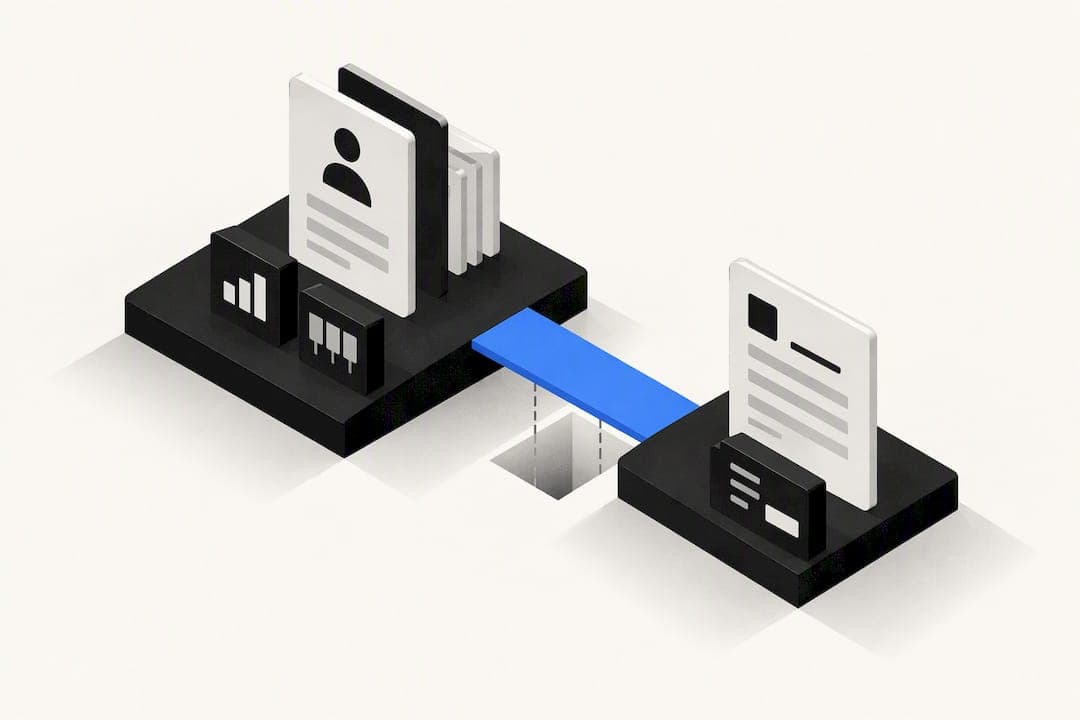
A CRM with quotes speeds up quote cycle time and cuts errors by removing the copy and paste between your pipeline and your paperwork, and it lets an accepted quote flow straight into an invoice or order. It suits businesses selling standardised services or a small product set with simple discounts. If your pricing involves complex configuration, usage-based billing, or multi-tier approval and margin rules, look at CPQ (configure, price, quote) software instead.
TL;DR:
- A CRM with built-in quotes reduces manual errors by auto-filling details and triggers sales automation based on quote status updates.
- Key features include native contact links, reusable templates, automatic tax and discount logic, and full audit trails to ensure process accuracy.
- Native CRM quoting fits small businesses with simple pricing rules, while CPQ systems are necessary for complex, configurable, or volume-based pricing.
- Valid testing involves running representative quotes through a trial to verify autofill, approval routing, version history, expiration handling, and seamless order conversion.
- Integrations often fail due to stale data or poor synchronization, making API-based links and end-to-end testing essential before going live.
Table of Contents
- What is a CRM with quotes, and why does it matter for small teams?
- Which features actually matter in a CRM with quotes?
- Should you use native CRM quoting or evaluate CPQ instead?
- How do you test a CRM's quoting features before you buy?
- Why do CRM quoting integrations fail in practice?
- How does Oktechnology handle quoting and consolidation?
- A pragmatic take on buying CRM quoting software
- How Oktechnology fits your quoting workflow
- Sources
- FAQ
What is a CRM with quotes, and why does it matter for small teams?
Sales reps lose hours every week rebuilding the same quote in a separate document tool, then manually updating the CRM once it is sent. A CRM with built-in quoting removes that gap: the quote lives on the same record as the contact and the deal, so nothing has to be re-typed or reconciled later.
The practical upside shows up in three places. First, fewer manual errors, because line items, tax rates, and customer details pull straight from existing records instead of being retyped. Second, tighter pipeline visibility, since a sent quote, a viewed quote, and an expired quote can all trigger the next step in your sales automation automatically. Third, higher acceptance rates: branded templates, e-signature and mobile-friendly delivery tend to get a faster yes than an email attachment a buyer has to print and sign.
There is a cost side too. Some quoting tools gate features like e-signature or approval workflows behind higher pricing tiers, and a quoting add-on with weak two-way sync to your CRM can quietly recreate the exact admin burden you were trying to remove.
- Fewer manual errors from eliminating copy and paste between systems
- Automatic triggers on quote sent, viewed, or expired events
- Higher acceptance rates through branded, mobile-friendly, signable quotes
- Clearer ROI once you factor in billing, inventory, and approval complexity
Pro Tip: Before comparing vendors on features, price out what a single quote costs you today in staff time. That number, not the feature list, is what a quoting tool needs to beat.
Which features actually matter in a CRM with quotes?
Most CRM quoting comparisons turn into long feature lists that all look the same. What actually separates a usable system from a frustrating one is how those features behave under real conditions, not whether they exist on paper.
Start with the connection to your pipeline. A quote should sit natively on the contact or deal record, not live as a separate object you have to manually attach. From there, you want a product catalogue and reusable templates so reps are not rebuilding pricing tables from scratch on every quote.

Calculation logic matters more than it sounds. Automatic tax handling, discount rules, and approval workflows tied to specific thresholds stop a rep from approving their own 30% discount by accident. Permissions should mirror your actual sales structure, not a generic admin/user split.
Once a quote is out, tracking becomes the priority: statuses, view and open tracking, automatic reminders, e-signature, and a clean handoff to payment or invoicing. Finally, look at what happens after the sale. Revision history, audit trails, and exportable reports matter to finance as much as to sales, particularly if you are ever audited or need to explain a pricing dispute.
- Native link to contact and deal records, not a bolt-on object
- Product catalogue and reusable, editable templates
- Automatic tax, discount, and approval logic tied to real thresholds
- Status tracking, reminders, e-signature, and invoice handoff
- Revision history and exportable audit trails for finance
| Capability | Why it matters | Risk if missing |
|---|---|---|
| Contact/deal linkage | Keeps quote and pipeline in sync | Manual reconciliation, data drift |
| Product catalogue | Speeds quote creation | Inconsistent pricing across reps |
| Approval workflow | Controls discount and margin risk | Unauthorised discounts slip through |
| E-signature | Cuts time-to-close | Delays from print-sign-scan cycles |
| Audit trail | Supports finance and disputes | No record of who changed what |
The full checklist small businesses should compare also includes reporting and pricing transparency, both of which tend to get overlooked until renewal time.
Should you use native CRM quoting or evaluate CPQ instead?
Native CRM quoting is built for speed and simplicity. It works well when you sell a defined set of services or products, your discounting follows a small number of rules, and one or two people sign off on exceptions. Most freelancers, agencies, consultancies, and single-location retailers fit this profile comfortably.
CPQ earns its complexity when your pricing genuinely needs it: configurable products, bills of materials, volume or usage-based pricing, or approval chains that route differently by region, margin, or product line. CPQ automates guided configuration, pricing, and approvals at a scale that native CRM quoting was never designed to handle.
The decision usually comes down to three questions rather than a feature comparison:
- Does your pricing change based on how a product is configured, not just how much of it is bought?
- Do more than two people need to approve a single quote, with different rules for each?
- Would adding CPQ require IT resources you don't currently have, and is that cost justified by your deal volume?
Choosing CPQ for a business that sells three fixed service packages adds overhead nobody needed. Choosing native CRM quoting for a manufacturer with configurable products and tiered volume pricing will eventually force a painful migration. There is no universally best answer here, the right one depends on your product complexity and how far you expect to scale in the next two years.
How do you test a CRM's quoting features before you buy?
Feature lists tell you what a tool claims to do. The only way to know what it actually does is to run real quotes through it during a trial, using scenarios that mirror your actual sales process rather than a vendor's demo script.
- Build a standard quote using a typical deal size and product mix. Check that contact details, pricing, and tax autofill correctly from existing records.
- Apply a discount that requires approval. Confirm the workflow routes to the right approver and that the rep genuinely cannot bypass it.
- Revise the quote after the customer requests a change. Check that the old version is preserved and the audit trail shows who changed what.
- Let a quote expire without action. Confirm the system flags it correctly and does not let it be accepted after the deadline without a manual override.
- Accept a quote and follow it through to order or invoice creation. Time how many manual steps remain versus how many the system handles automatically.
This mirrors the approach recommended for evaluating CPQ and quoting systems generally: test the representative case, not the ideal one.
| Scenario | What to verify | Pass/fail signal |
|---|---|---|
| Standard quote | Autofill accuracy, correct totals | Manual correction needed |
| Discounted, needs approval | Routing, threshold enforcement | Approval bypassed or misrouted |
| Revised quote | Version history intact | Old version overwritten or lost |
| Expired quote | Status flag, no late acceptance | Accepted after deadline |
| Accepted, converts to order | Clean handoff, no re-entry | Duplicate data entry required |
Track time-to-create per quote and count how many manual steps each scenario avoided. Those two numbers, more than any feature checklist, tell you what the tool will actually save you.
Why do CRM quoting integrations fail in practice?
Most quoting failures are not software bugs, they are data problems that the quoting interface simply exposes. A quote can look perfectly correct on screen while pulling a superseded price list or an outdated tax rule, and nobody notices until a customer disputes the total.
Poor master data is the most common root cause: inconsistent SKUs, duplicate price lists, and mismatched tax settings across systems all produce quotes that look confident and calculate wrong. The second common failure is stale synchronisation between the CRM, ERP, and billing system, which creates incorrect availability, wrong totals, and duplicate admin work when someone has to manually reconcile the difference.
- Clean up product names, units, currencies, and price lists before rollout, not after
- Use API-based sync rather than periodic exports between CRM, ERP, and billing
- Test escalation paths for approval automation, including what happens when the named approver is unavailable
- Map the full quote-to-order flow end to end before go-live, not just the quote creation step
Pro Tip: Run a dummy quote through your entire stack, CRM to billing, before rollout day. If it breaks anywhere, better to find out with a test customer than a real one.
Sales intelligence tools that keep data synchronised across systems, such as those covering revenue intelligence, can reduce the drift that causes these failures in the first place.
How does Oktechnology handle quoting and consolidation?
Oktechnology built its platform around a specific frustration: businesses running six or seven disconnected tools to do what should be one workflow, quote a customer, get it approved, send it, and bill it, without re-entering data at every step.
Oktechnology's own positioning is built on paying only for what you use rather than locking into a fixed subscription tier, with quoting, CRM, and billing running inside one consolidated platform rather than three separate subscriptions that all need to talk to each other.
The platform states it can help businesses save time by cutting the tool-switching that eats a sales team's day. That claim reflects the time lost to exactly the kind of manual reconciliation described above: rebuilding quotes, chasing sync errors, exporting reports across three logins.
If you want to see how that holds up, the fastest test is the one outlined earlier: run a representative quote, discount, revision, and conversion through the platform yourself.
A pragmatic take on buying CRM quoting software
Most CRM quoting advice fixates on feature lists, which is the wrong place to start. A feature list tells you what a vendor built, not whether it works for your actual sales process. The businesses that get burned are the ones that pick based on a demo, then discover during rollout that their tax rules, approval chain, or master data do not behave the way the sales pitch implied.
The testing discipline matters more than the shortlist. Running five representative quotes, standard, discounted, revised, expired, converted, through a trial account will tell you more in an afternoon than three sales calls will tell you in a month. That's not a nice-to-have step, it is the step that separates a good decision from an expensive mistake six months in.
The second underrated point: integration quality beats feature depth almost every time. A CRM with a slightly shorter feature list but a genuinely connected quote-to-order flow will outperform a feature-rich tool that requires manual reconciliation between three systems. Prioritise the plumbing before the polish.
— Paolo
How Oktechnology fits your quoting workflow
Most CRM quoting tools charge a flat monthly fee whether you send five quotes or five hundred. Oktechnology works differently: you pay per action, a quote created costs a fraction of a euro, an invoice the same, so your quoting costs scale with what you actually use rather than a tier you have half-outgrown.
That matters most for small teams testing whether CRM-native quoting is enough, or whether they need something more. Because Oktechnology runs CRM, quoting, billing, and project management inside one connected platform, you can trial the exact evaluation scenarios covered above, standard quote, discounted approval, revision, conversion to invoice, without stitching together separate subscriptions to test the full flow. The full pricing breakdown shows the per-action costs for quotes, invoices, and everything else in between. If you want to see the platform itself first, the Oktechnology overview walks through how the pieces connect before you commit to a trial.
Sources
- Oracle vs Salesforce: Which CRM platform is best? | Sourcemash
- Integrating CPQ with ERP and CRM systems | Cincom whitepaper
FAQ
What are quotes in CRM?
A quote in CRM is a formal price proposal generated directly from a contact or deal record, listing products, pricing, discounts, and terms. Because it lives inside the CRM rather than a separate document, it can trigger follow-up automation and convert directly into an invoice or order once accepted.
What are the four types of CRM?
The four common categories are operational CRM (managing day-to-day sales, marketing, and service tasks), analytical CRM (analysing customer data for insights), collaborative CRM (sharing customer information across teams), and strategic CRM (long-term customer relationship planning). Most small business CRM platforms, including quoting-capable ones, blend operational and collaborative functions.
What is the best quote management software?
There is no single best option, the right choice depends on your product complexity, approval needs, and how connected your quote-to-order flow needs to be with billing and ERP systems. A lightweight native CRM quoting feature suits standardised services, while complex pricing or bundled products usually justify a dedicated CPQ system.
What are the top CRM tools for quoting?
Rather than naming a fixed top three, evaluate any CRM with quotes against the checklist covered above: native contact and deal linkage, reusable templates, automatic calculations, approval workflows, e-signature, and a clean handoff to invoicing. Platforms like Oktechnology that combine CRM, quoting, and billing in one system avoid the sync gaps that separate quoting tools often create.
How much does Oktechnology's quoting feature cost?
Oktechnology charges per action rather than a flat subscription: creating a quote costs €0.02 one off, with invoicing, contracts, and other actions priced separately on the Oktechnology pricing page. This means quoting costs scale directly with how many quotes you actually send.