
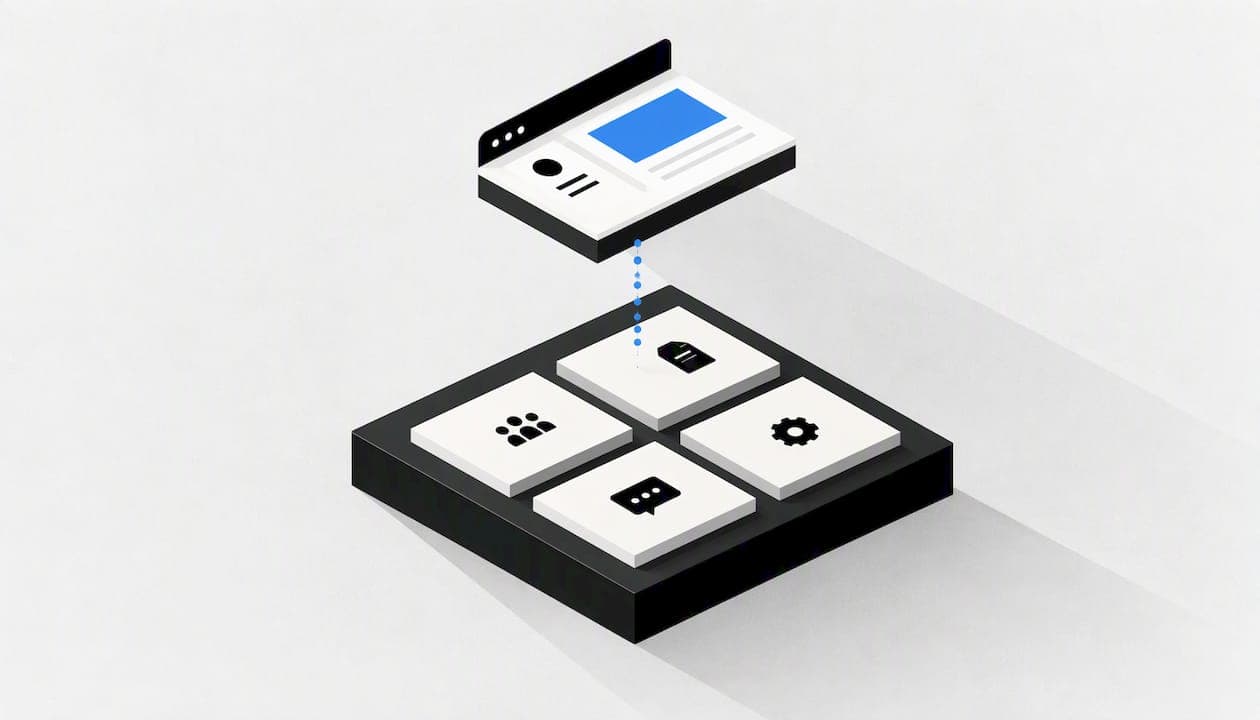
To set up a client portal, decide which client questions it must answer, choose a tool that covers them, give each client a login that shows only their own records, brand it, and pilot it with one client before you roll it out. You do not need a developer or a large budget. You do need a clear structure and a habit of keeping the portal up to date.
This guide covers the steps in order. It also covers white-label branding, security, what to look for when comparing software, and a worked cost example.
TL;DR
- A portal works when it answers recurring questions, such as "where is my invoice?" and "what is the project status?". Start there, not with a feature list.
- Keep the structure shallow: about two levels of folders or sections.
- Turn on multi-factor authentication and least-privilege access before the first client logs in.
- Pilot with one patient client, then roll out in batches.
- White-labelling (your logo, colours and subdomain) makes the portal look like part of your business, but security matters more than looks.
Table of Contents
- What a client portal does
- Step 1: List the questions clients keep asking
- Step 2: Choose between a simple tool and an all-in-one platform
- Step 3: Design a shallow structure
- Step 4: Set up access and security first
- Step 5: Brand it
- Step 6: Move real work into it
- Step 7: Pilot with one client, then roll out
- Our view: pay for what clients actually do
- What a white-label setup costs with pay-per-action pricing
- Common mistakes
- FAQ
- Sources
What a client portal does
A client portal is a secure, branded space where you share files, collect documents, send invoices and talk to clients, instead of using scattered email threads. Fastio's 2026 guide describes it in much the same way. Agencies, accountants, consultants, hospitality groups and finance teams all use them.
The benefit is mostly operational. Clients stop asking where things are, and your team stops searching inboxes. A portal also gives you one place to record who saw what and when.
Be honest about whether you need one. If you have three clients and one email thread each, a portal may add work. Once you handle many clients, many documents and recurring billing, it starts to pay back.
Step 1: List the questions clients keep asking
Before you open any software, write down the ten questions your clients ask most often. Typical ones:
- Where is my latest invoice?
- What is the status of the project?
- Where do I sign the contract?
- Where do I upload the documents you asked for?
- Who do I contact about this?
Fastio's advice is that a portal built around specific, recurring questions gets used, while one packed with generic features is often ignored. Your list becomes the specification. Anything that does not answer one of those questions can wait.
Step 2: Choose between a simple tool and an all-in-one platform
There are three broad routes:
| Route | Typical fit | Trade-off |
|---|---|---|
| Free or no-code build (shared drive, Notion, Airtable) | Very small teams, a handful of clients | Permissions are easy to get wrong, and you maintain it all |
| Dedicated portal software | Agencies and professional services | Monthly fees; you adapt to its way of working |
| All-in-one platform with portal features | Teams already juggling CRM, billing and projects | Steeper learning curve, but fewer tools to connect |
UK-focused advice from Afer Studio puts off-the-shelf portal software at roughly £20 to £100 a month, with setup in days. It puts a custom build at £15,000 to £50,000 and 8 to 16 weeks. Treat those as one agency's estimates, not fixed prices.
Reviewers on G2 describe a similar split. Small businesses praise simple tools for ease of setup. More established firms lean towards all-in-one platforms such as SuiteDash because they consolidate CRM, projects and billing, despite a steeper learning curve, according to G2's SuiteDash reviews. A portal bolted onto a separate billing tool also tends to leave you copying data between systems.
What should you compare? These criteria matter most:
- Client isolation. Can one client ever see another's records?
- Branding. Can you use your own subdomain, logo and colours?
- Billing and documents. Can clients receive and pay invoices, sign quotes and contracts, and upload files in the same place?
- Pricing model. Do you pay per seat, per plan tier or per use? A per-client fee grows with every client you add.
- Exit. Can you export your data?
Step 3: Design a shallow structure
The most common mistake is a maze of folders. Aim for two levels: the client, then a handful of fixed sections such as Invoices, Documents, Projects and Messages. Every client gets the same layout, so your team always knows where things go and clients learn it once.
If you also keep internal client files, our article on organising client files securely with folders and tags covers naming and retrieval. For the portal's page layout, the plain navigation principles in this guide to website navigation for designers apply just as well: fewer choices, clear labels, the most common task first.
A portal built around the same idea of "find the invoice or check the status in one click" is also what a dealer-focused example such as this customer portal for equipment dealers shows: self-service views for common client needs, not a pile of modules.
Step 4: Set up access and security first
This is the step people leave until last, and it should come first. A portal holds client invoices, contracts and personal data. Treat it as a risk management task, not just a design task.
The CISA Cyber Essentials Starter Kit says organisations of any size should require multi-factor authentication for all users, especially for administrative and remote access. It also advises granting permissions on the principle of least privilege. CISA is a US agency, so for UK data protection duties check the ICO guidance as well. The practical rules are the same:
- Turn on MFA for your staff and offer it to every client.
- Give each client a separate space. Test it: log in as client A and try to reach client B's files.
- Limit admin rights to the few people who truly need them.
- Avoid "fail open" settings, where a mistake in permissions could make data public. CISA's advisory on managed service providers warns against this and recommends auditing accounts that are no longer in use.
- Write down who may do what. A short procedure for adding, changing and removing access is enough.
Review access whenever a project ends or a client leaves. A practical walk-through of how to do that without interrupting work is in this guide to auditing user access. Put a recurring reminder in the calendar, for example quarterly, so it actually happens.
Step 5: Brand it
White-labelling is why many people search for a portal in the first place. Common features are a custom subdomain such as portal.yourcompany.com, your logo, your brand colours and, on some tools, custom CSS. Assembly's overview lists these as the way a portal appears to be a native part of your business. Agency-focused products such as ManyRequests offer the same idea with your own domain on the agency's portal.
A branded portal helps in small ways:
- Clients recognise the address and trust the login page.
- Invoices and emails look like they come from you.
- A portal on your own subdomain feels like a permanent part of your service.
Branding is the cosmetic layer. Do it after the structure and the access rules are right.
Step 6: Move real work into it
A portal fails when updating it becomes an extra job. Fabric's guidance on how to set up a client portal notes that portal upkeep slips when it happens after the project work, and that experienced teams build it into the start of each project phase.
In practice:
- Send quotes, contracts and invoices from the portal, not by attachment.
- Ask clients to upload documents there, and stop accepting them by email.
- Post status updates at the end of each milestone, in the same place.
- Add the portal to your project kick-off checklist.
If you are moving from paper or PDFs, our walkthrough of a paperless client workflow for invoices, quotes and contracts shows how the pieces fit.
Step 7: Pilot with one client, then roll out
Do not invite everyone on day one. Pick one patient client, ideally one who is friendly and who emails you often. Fastio recommends a pilot like this to see which features really remove back-and-forth emails and which are decoration. Then invite the rest in batches.
During the pilot, ask three things:
- Did they log in without help?
- Did they find what they needed in under a minute?
- What did they still email you about?
Fix those gaps and write a short welcome message for the next batch. It should say what is in the portal, how to log in and who to call.
Our view: pay for what clients actually do
We build OK Technology as one platform that covers CRM, project management, invoicing, documents, email, calendar and video calls, so the portal sits next to the work it reports on. Our platform includes white-label subdomains and multi-company isolation, which keeps each company's records apart.
The pattern we see in small businesses is tool sprawl: one app for billing, another for files, another for the CRM, and a portal on top that has to be fed by hand. The portal is only as current as the slowest of those tools. Our view is that the portal should be a window onto the system you already work in, not a separate place to maintain.

We also think pricing should follow use. Many portal tools charge per plan tier or per seat, so a quiet month costs the same as a busy one. We charge per action instead: you pay when you create an invoice, store a document or send an email. There are no plan tiers. For a team with a few active clients, that is often easier to predict than a seat-based plan, and it is easy to check against your own volumes.
One caution from us: do not buy more than your list of client questions needs. If a simple tool answers them all, use it.
— Paolo
What a white-label setup costs with pay-per-action pricing
Here is an example using the prices published on our pricing page. It is an illustration, not a quote. It assumes a small agency on a dedicated subdomain in a typical month:
| Item | Volume | Rate | Cost |
|---|---|---|---|
| Dedicated subdomain | 1 | €29 per month | €29.00 |
| Invoices created | 20 | €0.03 each | €0.60 |
| Invoices sent | 20 | €0.02 each (plus €0.05 per MB of attachment) | €0.40 |
| Emails | 100 | €0.02 each | €2.00 |
| Storage | 5 GB | €0.2 per GB per month | €1.00 |
| Total | €33.00 |
The invoice-sending line excludes the per-MB attachment charge, so a heavier attachment adds to it. Quotes cost €0.02 each, contracts €0.04 each and each document €0.25. If you would rather use your own domain on a hosted setup, custom domain and hosting is €1 per month.
If you want help with the setup itself, we offer technical help at €50 per hour and business consulting at €100 per hour. You can book a call to talk through your case, or check every rate on the pricing page first.
Common mistakes
- Building everything at once. Start with invoices, documents and status. Add the rest when clients ask.
- Skipping the permissions test. Always log in as a client and try to see someone else's data.
- Leaving old accounts open. Disable access when a project ends.
- Running two systems. If clients can still email files, they will, and the portal goes stale.
- Choosing on features, not on questions. Go back to your list from step 1.
FAQ
Does QuickBooks have a client portal?
QuickBooks handles billing and document sharing, but it is not a dedicated client portal for project updates and wider collaboration. Many businesses pair it with portal software, or move to an all-in-one platform so billing, files and projects sit together. Check the current QuickBooks plans for what is included in your region.
What is the best client portal for a small business?
There is no single best one. If you have a few clients and simple needs, an easy tool with file sharing and messaging is enough. If you manage CRM, projects and billing across many clients, an all-in-one platform saves you from keeping several tools in step. Judge each option on client isolation, branding, billing and how it prices.
Can I create a client portal for free?
Yes, with a shared drive or a no-code tool, but it is easy to get permissions wrong. Switch on MFA and give each client access only to their own space. For more than a few clients, a free setup tends to take more of your time than it saves.
What does white-label mean for a client portal?
It means the portal shows your brand, not the software vendor's. Usually that is your logo, your colours and a subdomain you choose, such as portal.yourcompany.com. Some tools also allow custom CSS.
How long does setup take?
A simple portal can be live in days, according to UK advice from Afer Studio, while a custom build takes months. The slower part is usually not the tool but deciding the structure and moving your clients across. A single-client pilot keeps that manageable.
Sources
- How to Create a Client Portal in 6 Steps (2026 Guide), Fastio
- How to Set Up a Client Portal, Fabric
- Assembly Client Portal
- Cyber Essentials Starter Kit, CISA
- Protecting Against Cyber Threats to Managed Service Providers and their Customers, CISA
- SuiteDash reviews, G2
- Client Portals for Small Business: Build, Buy, or Skip Entirely?, Afer Studio
- White Label Client Portal for Agencies, ManyRequests